
Font Trends 2027: 8 Typography Trends for Video Titles (With Free Fonts)
The font and typography trends for 2027, from handwritten scripts with bold caps to soft serifs and condensed editorial caps, with free Google Fonts to try and real Premiere Pro 2027 examples.
 7 min read
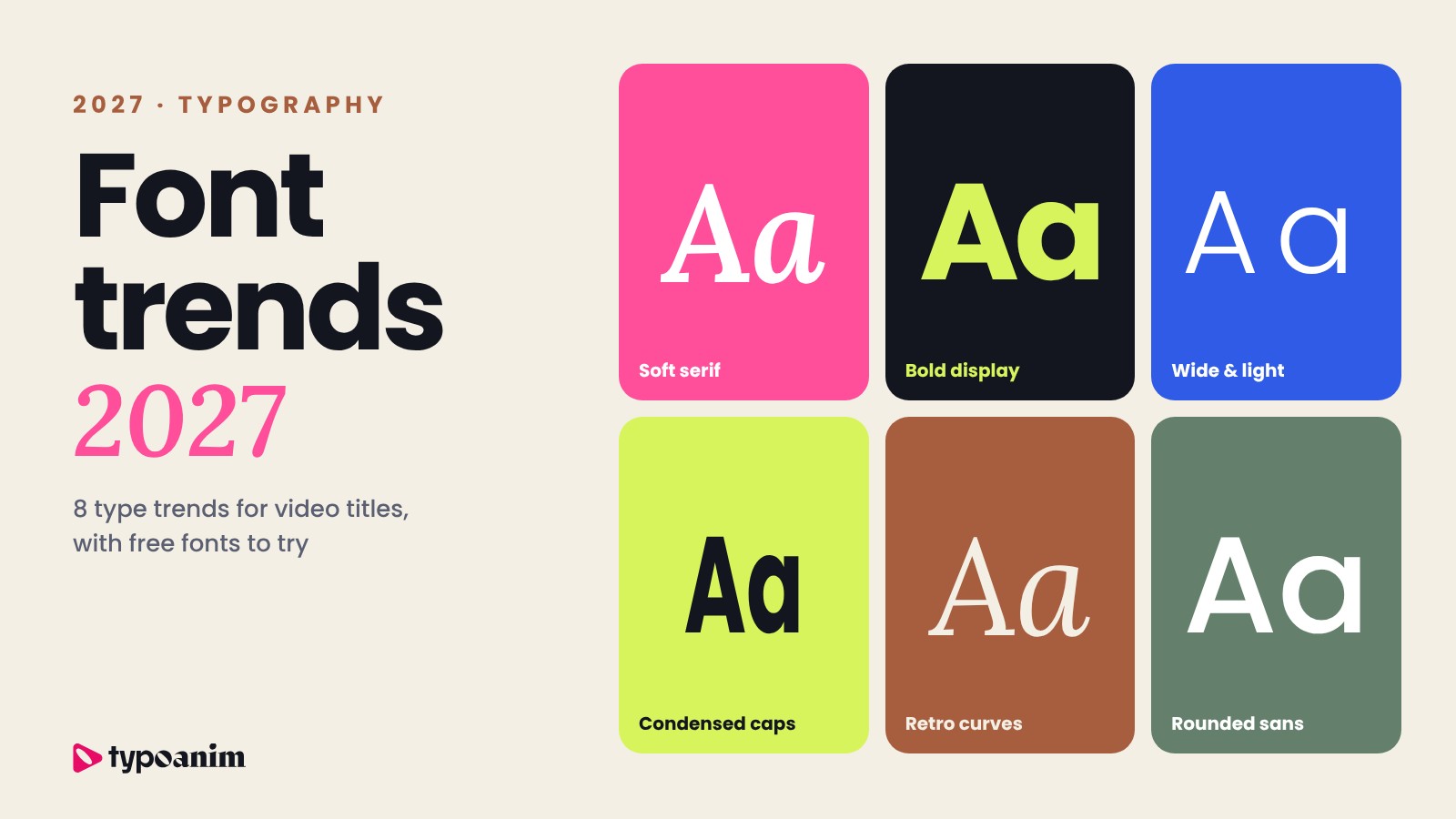
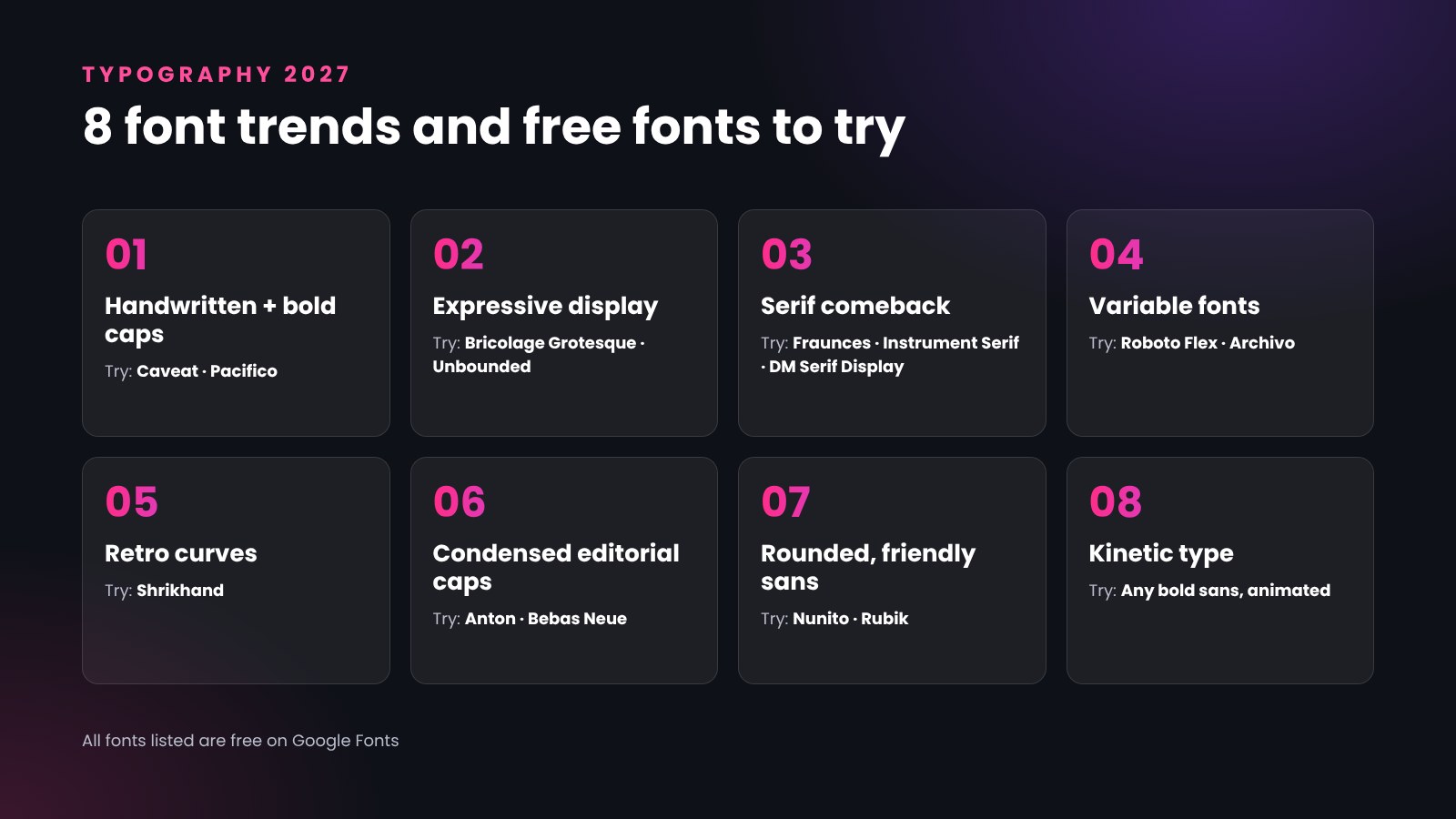
Short answer: the font trends for 2027 are handwritten scripts with bold caps, expressive display type, a serif comeback, variable fonts, retro curves, condensed editorial caps, rounded, friendly sans serifs and kinetic type. For each one we list free fonts to try and show how it looks in a real Premiere Pro 2027 title.
Fonts are the fastest way to make a video look current. A title in the right typeface feels fresh, the wrong one feels five years old. We read the new typography and font trend reports, kept the trends that several of them agree on, and tested them in Premiere Pro 2027 with our own title templates.
Font trends 2027
Trend 1Handwritten script with bold caps
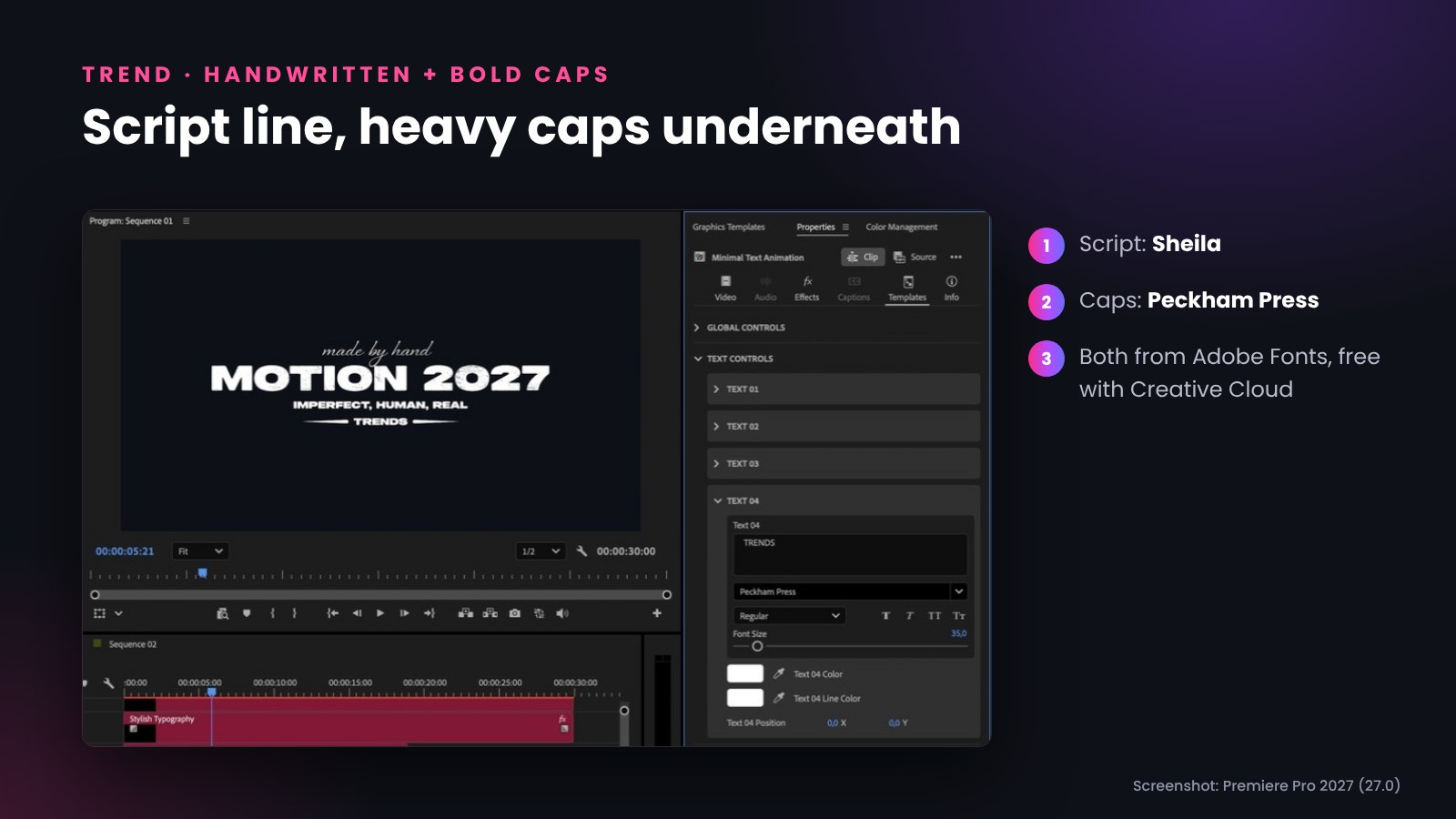
Handwriting is the most mentioned type trend for 2027. In a world of generated images, a handwritten word says "a person made this". The most useful version for video is a small script line on top of heavy caps: the script adds personality, the caps keep it readable.
- Free fonts to try: Caveat and Pacifico (Google Fonts).
- Adobe Fonts: Sheila and Peckham Press, used in the title above, are free with Creative Cloud.
- Keep the script short: one to three words.
Trend 2: expressive display type
After years of clean, neutral sans serifs, brands want type with character again. Reports call it "the end of blanding": bold display faces with unusual shapes, used big for one or two words. For video, use them only for the main title and keep a simple font for everything else.
Free fonts to try: Bricolage Grotesque and Unbounded (Google Fonts).
Trend 3The serif comeback
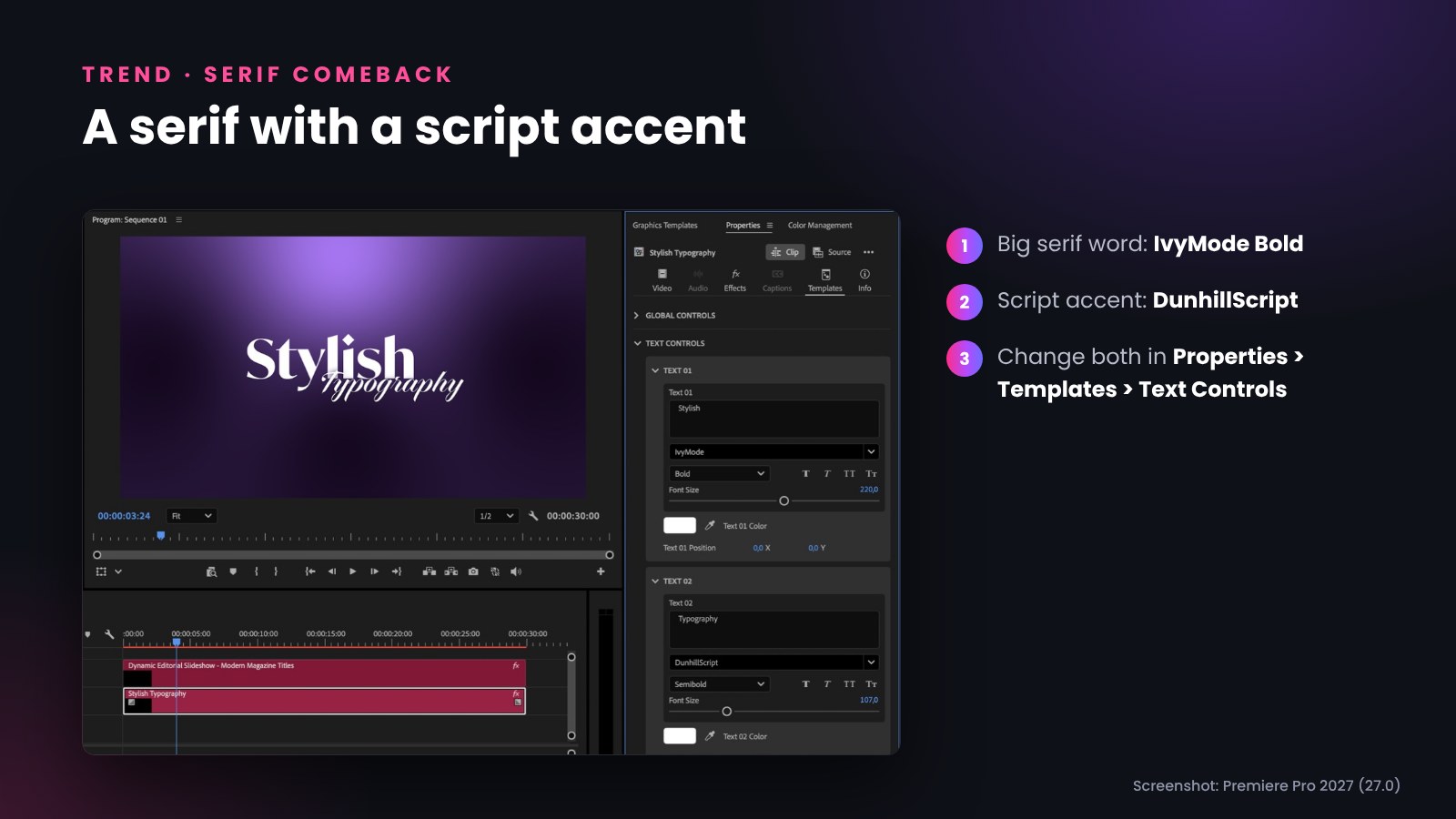
Serifs are back, especially soft, warm serifs with rounded details. They look elegant in fashion, beauty, wedding and documentary videos, and a serif title with a small script accent is one of the easiest ways to look premium.
- Free fonts to try: Fraunces, Instrument Serif and DM Serif Display (Google Fonts).
- Serifs need size. Use them big for titles, not for small captions.
Trend 4: variable fonts
A variable font is one font file that contains many weights and widths. Designers like them because one family can do everything, from a thin caption to a heavy title. In motion design, some editors even animate the weight, so a word grows bolder as it appears.
Free fonts to try: Roboto Flex and Archivo (Google Fonts).
Trend 5: retro curves
Round, bouncy 70s-style letters keep coming back for food, music and lifestyle content. Trend reports also warn that they date quickly, so use them for a campaign or a series, not for your whole brand.
Free font to try: Shrikhand (Google Fonts).
Trend 6Condensed editorial caps
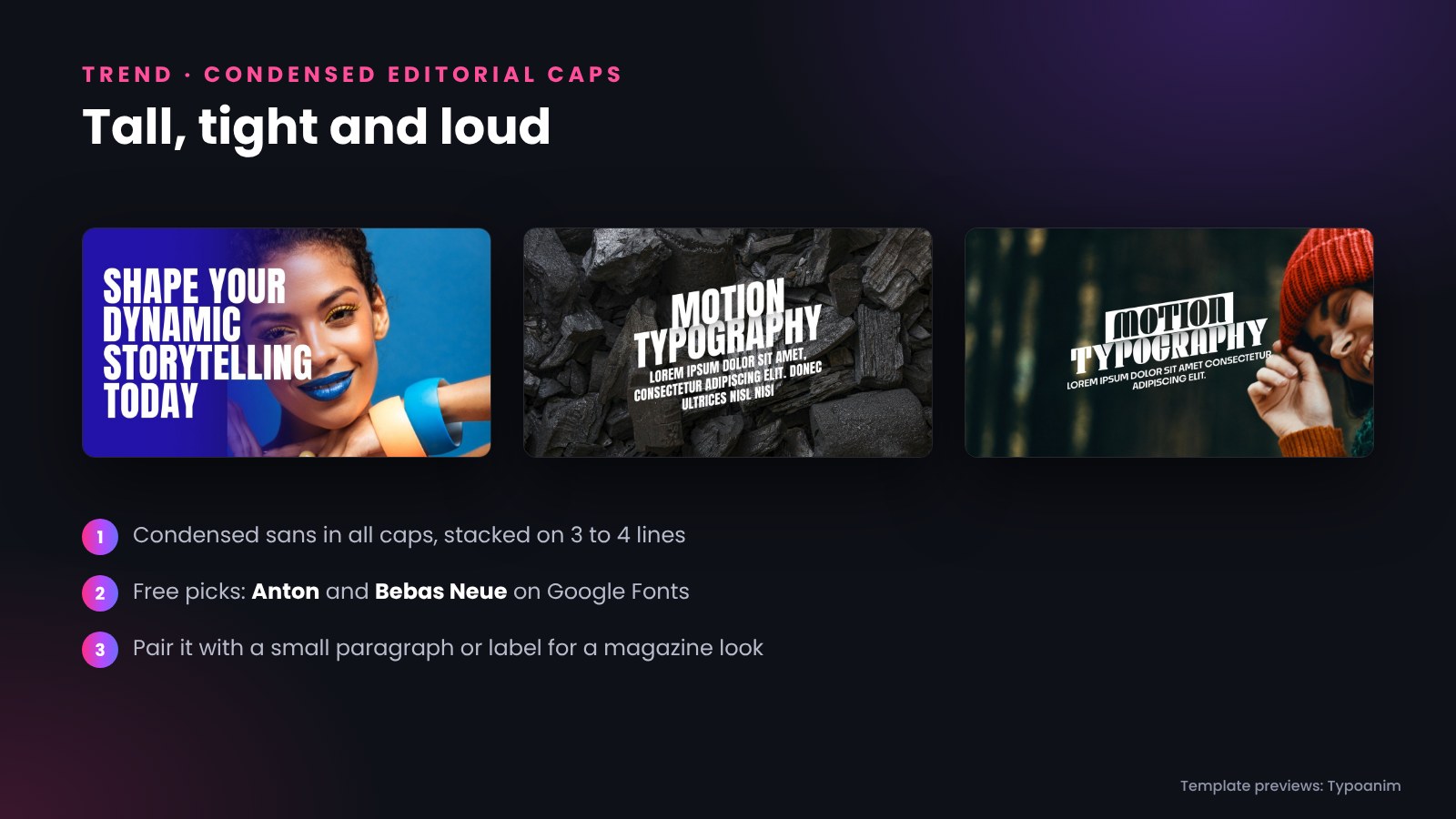
Tall, condensed caps stacked on three or four lines look like a magazine cover, and they fit a lot of text into a small space. That makes them perfect for YouTube intros, promos and vertical video.
- Free fonts to try: Anton and Bebas Neue (Google Fonts).
- Add a small label or paragraph next to the big caps for a clear editorial look.
Trend 7: rounded, friendly sans
Soft, rounded letters feel friendly and easy, which is why they are popular for apps, kids content and social media. Some reports call them "bouba" fonts, after the round shape people link with the word "bouba".
Free fonts to try: Nunito and Rubik (Google Fonts).
Trend 8: kinetic type
Type is no longer only read, it moves. Words that slide, flip and stretch with the voice are one of the strongest 2027 trends for video. A bold, simple sans works best, because it stays readable in motion. Read more in our motion design trends 2027.
How toHow do you get trending fonts in Premiere Pro 2027?
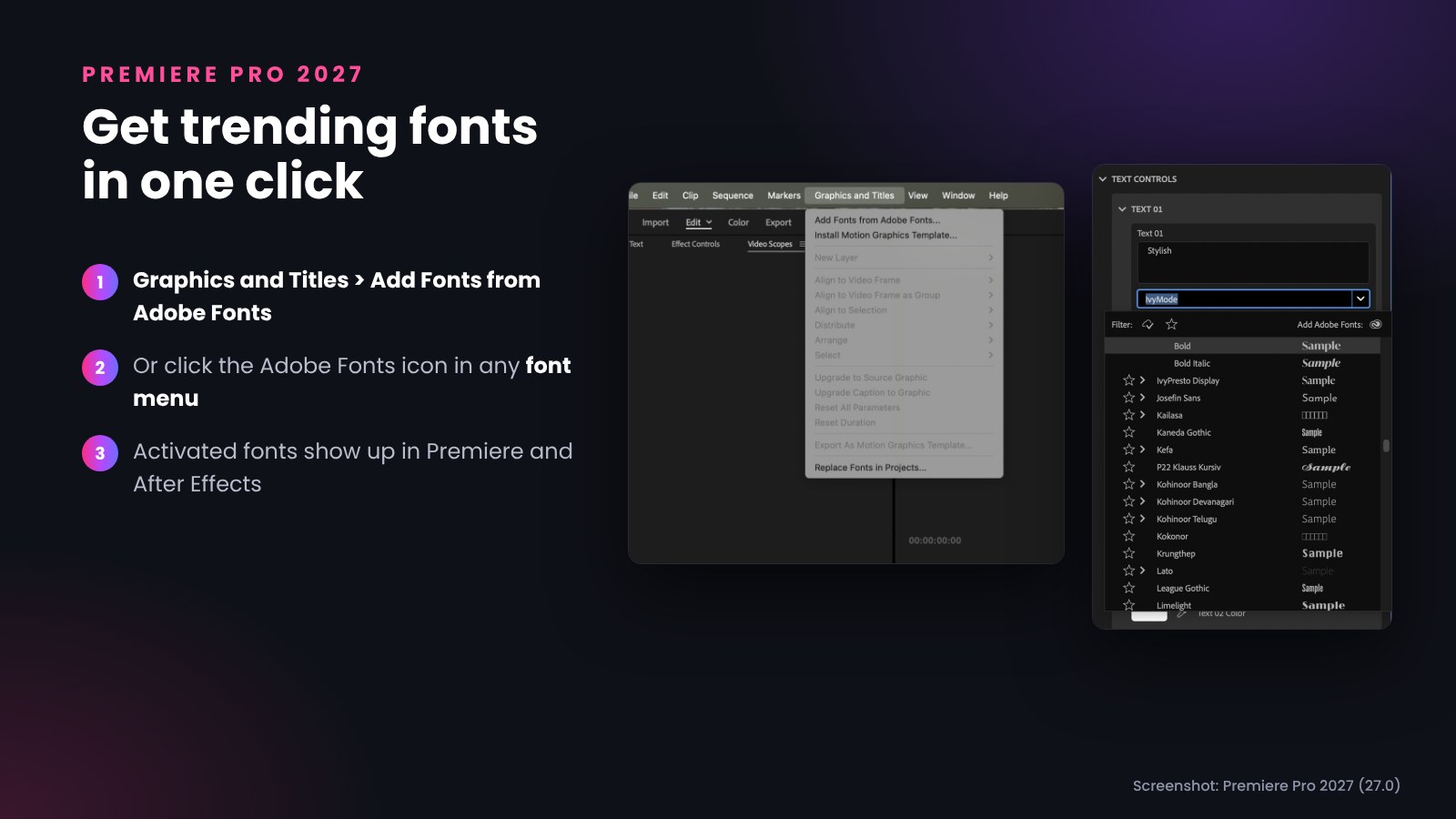
- Choose Graphics and Titles > Add Fonts from Adobe Fonts, or click the Adobe Fonts icon in any font menu. Activate the font on the Adobe Fonts website.
- For Google Fonts, download the font, install it on your computer, and restart Premiere Pro.
- Select your title, open Properties > Templates, and choose the new font in Text Controls.
Activated and installed fonts work in Premiere Pro and After Effects. If you send a project to someone else, make sure they install the same fonts. Every Typoanim template includes a list of the fonts it uses.
Title templates with the 2027 font trends
All of these work in Premiere Pro or After Effects 2023 and later, including the 2027 versions.
How we made this list
We read typography trend reports published in 2025 and 2026, including Envato's font trends 2027, Creative Bloq's typography trends, Kittl, Vistaprint and Lovart's 2027 early signals, and kept the trends that appear in several of them. Free fonts were checked on Google Fonts. See also color trends 2027.
Font trends 2027: FAQ
What fonts are trending in 2027?
Handwritten scripts paired with bold caps, expressive display fonts, soft serifs, variable fonts, retro curves, condensed editorial caps and rounded sans serifs.
Which free fonts follow the 2027 trends?
Caveat, Pacifico, Fraunces, Instrument Serif, DM Serif Display, Roboto Flex, Archivo, Shrikhand, Anton, Bebas Neue, Bricolage Grotesque, Unbounded, Nunito and Rubik are all free on Google Fonts.
What is the best font for video titles?
A bold, simple font that is easy to read at a glance, such as a condensed sans for the main line, with a script or serif accent if you want more personality.
How do I change the font in a MOGRT?
Select the clip, open Properties > Templates and pick a new font in Text Controls, if the template designer made the font editable.
Font trends 2027: the short version
2027 type is more human and more expressive: handwriting next to bold caps, serifs with personality, condensed magazine titles and type that moves. Choose one trend for your titles, keep a simple font for small text, and add new fonts in Premiere Pro with Adobe Fonts or Google Fonts.
— Mansura