
How to Add Materials to 3D Text in After Effects 2027 (Step by Step)
Learn how to create 3D text in After Effects 2027 and add materials to the front, sides and bevel: Advanced 3D renderer, extrusion, material overrides, Substance materials and layers as materials.
 6 min read
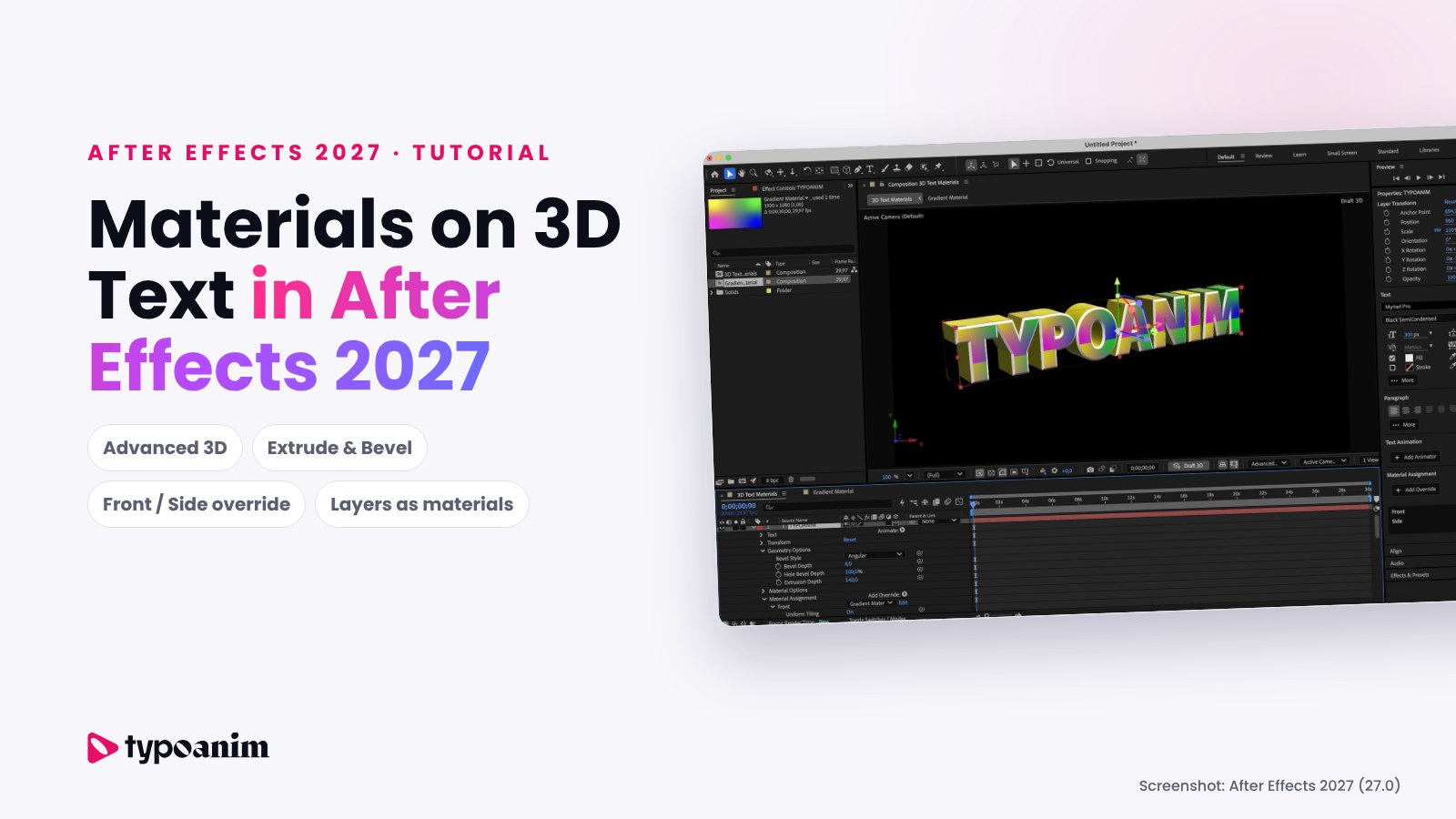
After Effects 2027 (version 27.0): all screenshots in this tutorial were taken in the real After Effects 2027 release. The steps follow Adobe's official documentation for materials on 3D text and shapes.
3D text in After Effects got a big upgrade in After Effects 2027. With version 27.0 you can apply materials to extruded 3D text and shape layers, and even give the front, sides, bevel and back of every letter a different material. You can use Substance 3D materials, or use your own layers, such as a precomp, a solid, an image or a video, as the material.
In this guide you will learn how to create 3D text in After Effects 2027 step by step: switch to the Advanced 3D renderer, extrude and bevel the text, add material overrides per face, and use a layer as a material source.
In this After Effects 3D text tutorial
What's new for 3D text in After Effects 2027?
Before version 27.0, extruded 3D text and shapes in After Effects were limited to simple legacy materials. In After Effects 2027 the Advanced 3D renderer treats 3D text and shape layers more like real 3D objects:
- Substance 3D materials (.sbsar files) on 3D text and shapes: wood, stone, brushed metal or stylized textures.
- Per-face material overrides: different materials for the front, bevel, side and back.
- Layers as material sources: animated precomps, solids, images or video wrapped around 3D text.
- The text stays fully editable, so you can still change the words, font and size.
The workflow is the same as for parametric meshes and imported 3D models, so once you learn it for text, you can use it on every 3D object in After Effects.
Step 1How do you switch to the Advanced 3D renderer?
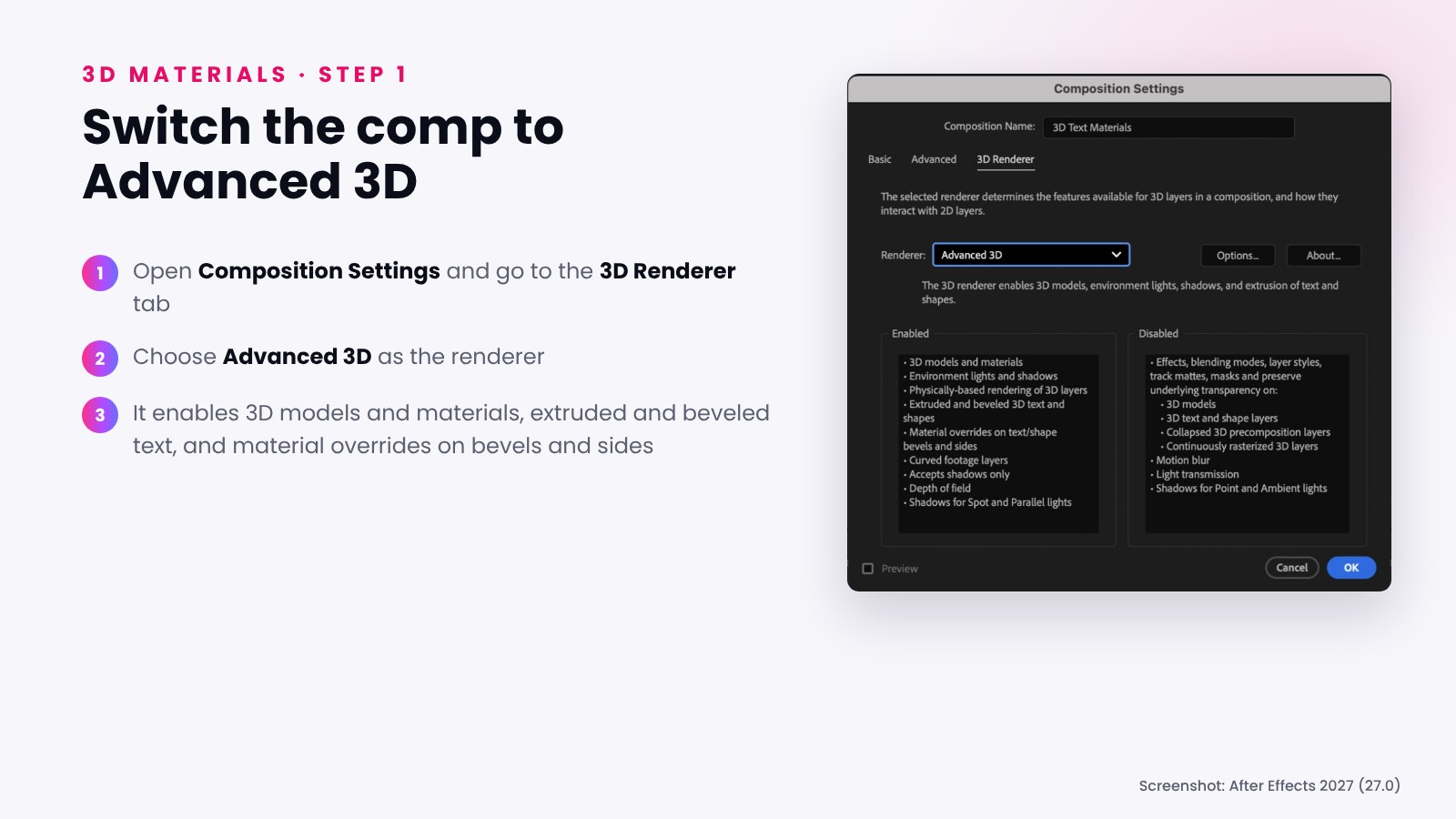
Materials on 3D text only work with the Advanced 3D renderer.
- Create a new composition (Composition > New Composition) or open Composition Settings for an existing one.
- Open the 3D Renderer tab.
- Set Renderer to Advanced 3D.
The dialog lists what Advanced 3D enables: 3D models and materials, environment lights and shadows, extruded and beveled 3D text and shapes, material overrides on text and shape bevels and sides, and depth of field. It also lists what is disabled for 3D text and shape layers, including effects, blending modes, layer styles, track mattes and masks, plus motion blur.
Step 2How do you extrude and bevel 3D text in After Effects?
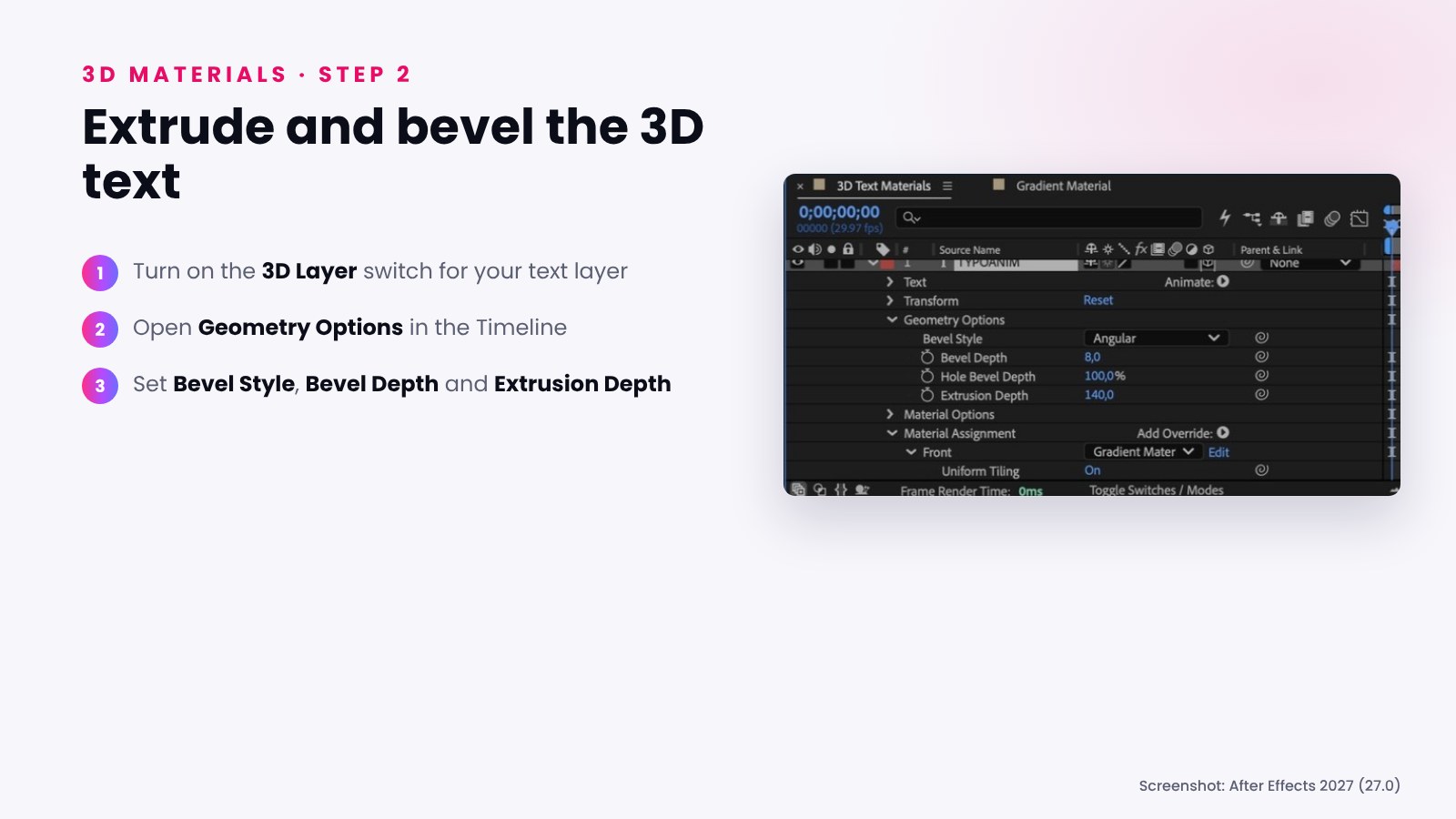
- Create a text layer (Layer > New > Text) and type your title. We used "TYPOANIM" in a heavy font.
- Turn on the 3D Layer switch (or Layer > 3D Layer).
- In the Timeline, open the layer and expand Geometry Options.
- Set Extrusion Depth for the thickness. We used 140.
- Choose a Bevel Style: None, Angular, Concave or Convex. Then set Bevel Depth and Hole Bevel Depth. We used Angular with a depth of 8.
- Rotate the layer with X and Y Rotation so the sides are visible.
Step 3How do you add materials to different faces of 3D text?
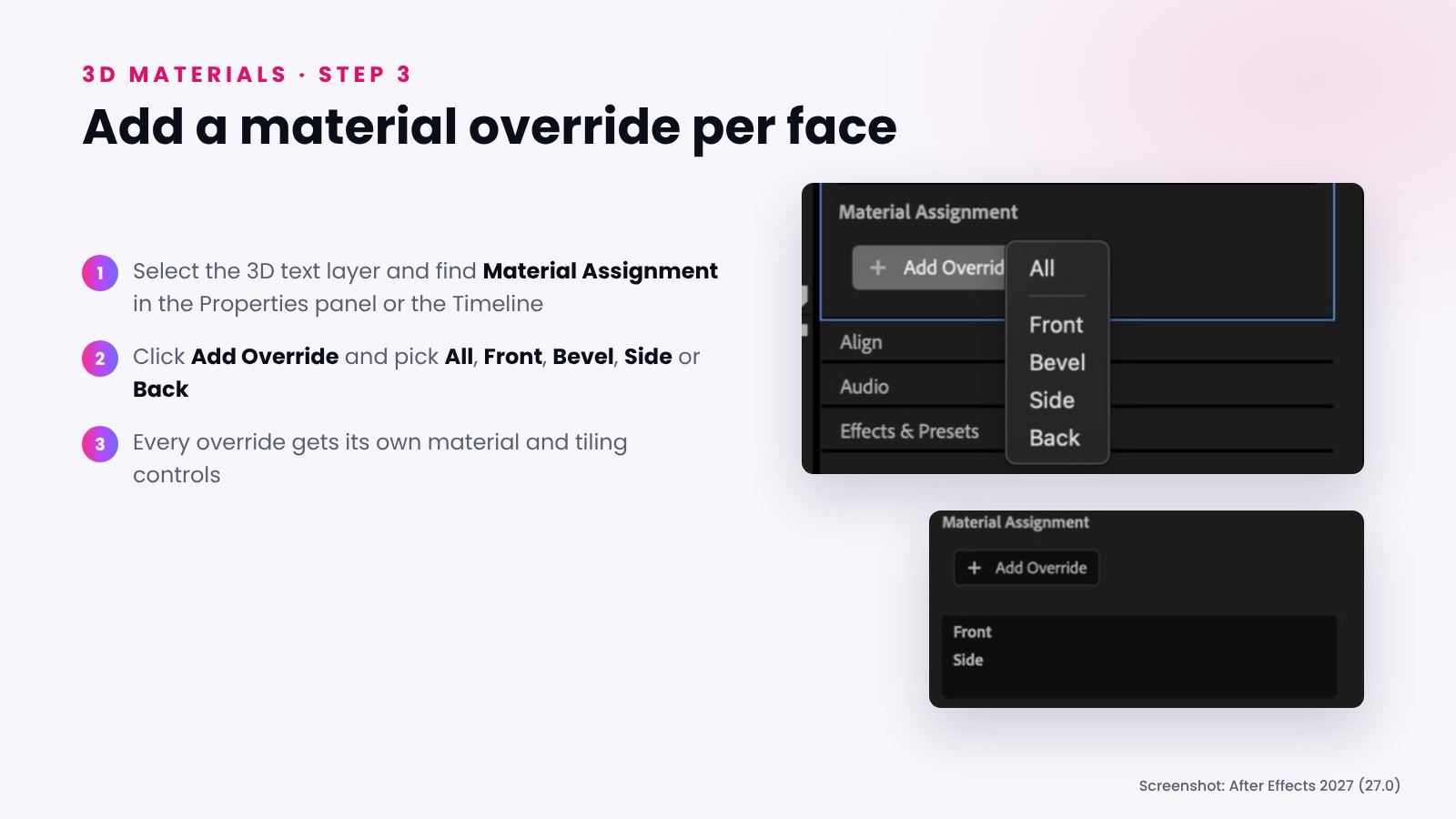
- Select the 3D text layer.
- Find Material Assignment, either in the Properties panel or under the layer in the Timeline.
- Click Add Override and choose All, Front, Bevel, Side or Back.
- Choose a material for that face from the Material dropdown.
Only the faces you override get the new material. The others keep the default material until you override them too. Every override has its own controls, including Uniform Tiling, Randomize Offset, Texture Offset, Rotation and Scale, so you can fine-tune how the material sits on the letters.
Step 4How do you use a layer as a material in After Effects 2027?
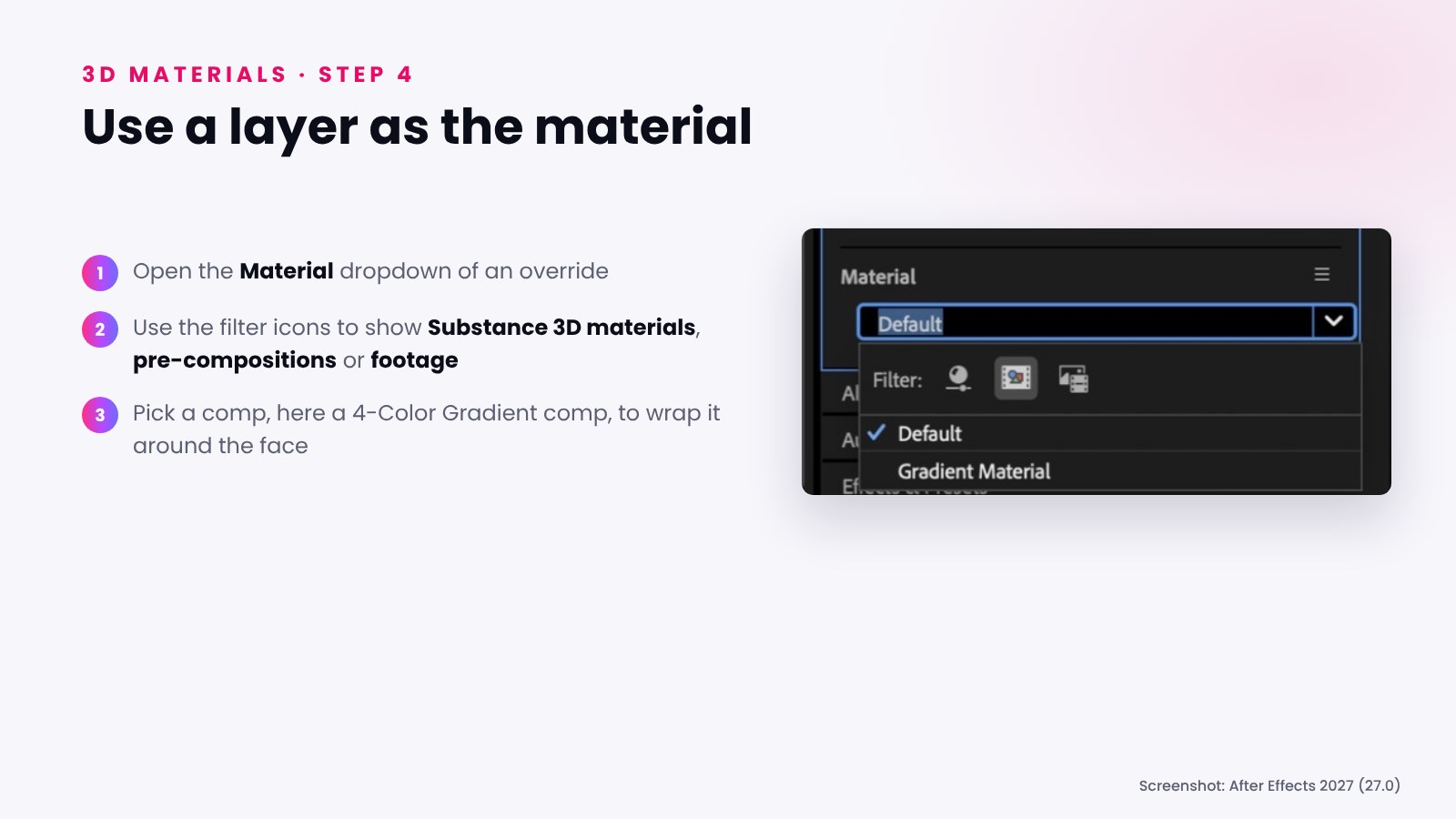
You don't need Substance files to get great results. After Effects 2027 lets you use your own layers as materials:
- Create a new composition for the material. We made a full-HD comp with a solid and the 4-Color Gradient effect (Effect > Generate > 4-Color Gradient).
- Add that comp to your 3D text composition as a layer, then hide it with the eye icon. It only needs to exist as a material source.
- Open the Material dropdown of an override. Use the filter icons to show Substance 3D materials, pre-compositions or footage.
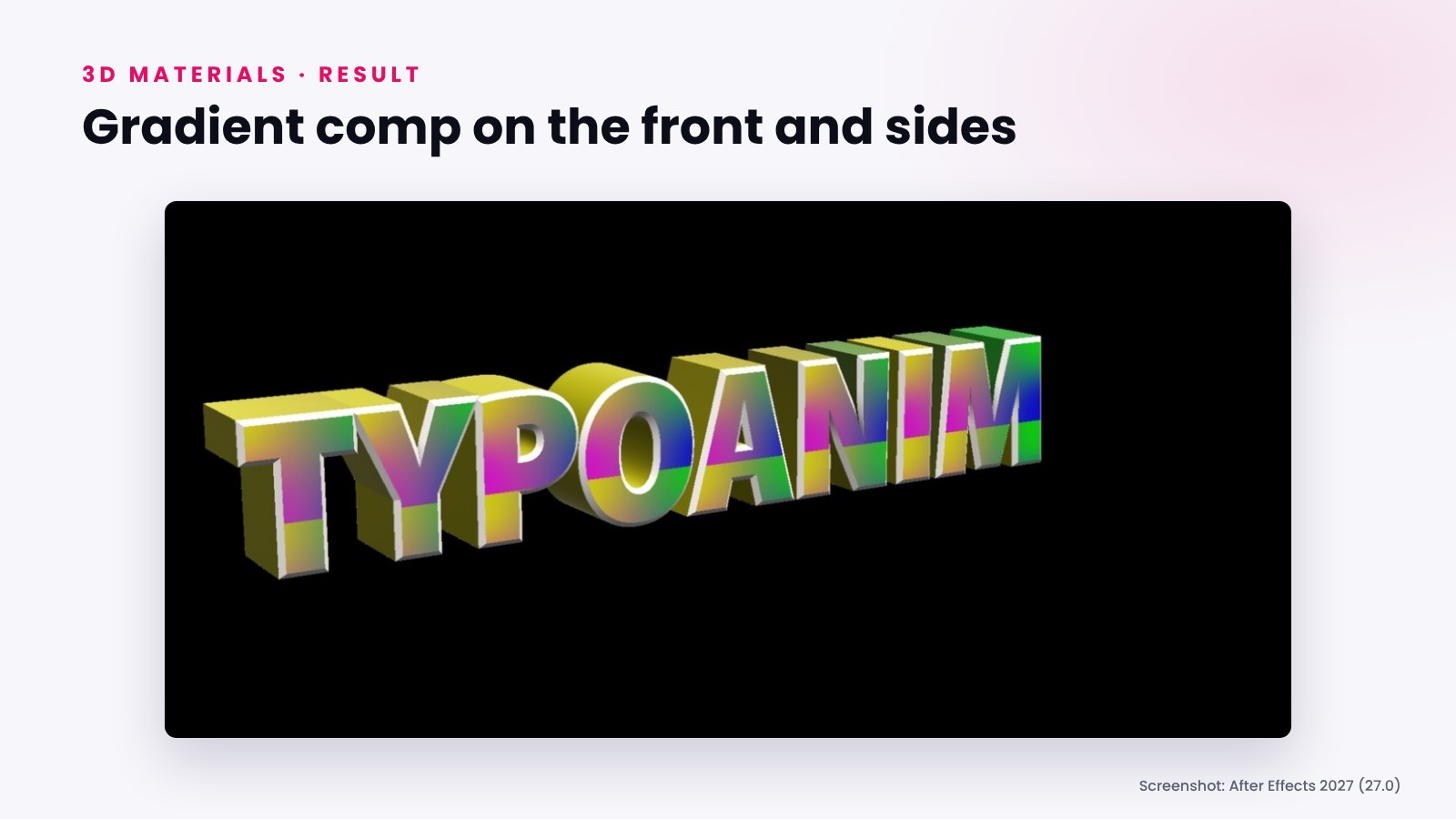
- Pick your comp. We applied it to the Front and Side faces and set the Front scale to 15%.
Because the source is a composition, it can be animated. Animate the gradient, add a video or a looping pattern inside it, and the material moves on your 3D text.
How do you use Substance 3D materials on text?
Substance 3D materials are .sbsar files, for example from Adobe's Substance 3D Assets library. Import the .sbsar file into your After Effects project first, then follow Step 3. According to Adobe, the Material dropdown only lists .sbsar files that are already in your project, plus layers if you enabled layers as material sources.
After you apply a Substance material, you can adjust placement, scale, rotation, tiling and random offset, and fine-tune the material's own parameters, such as color, roughness, metallic value and pattern settings.
Tips and limitations
- Keep the Advanced 3D renderer. Switching the comp to Classic 3D or Cinema 4D sets affected layers back to their default legacy material.
- Older projects: Adobe notes that projects saved in After Effects 25.x may lose their assigned Substance materials when reopened in 27.x.
- Selecting layers: selecting different 3D layer types together can trigger an error, so edit materials one layer type at a time.
- Preview speed: turn on Draft 3D in the Composition panel while you work, and turn it off for the final look.
Need ready-made 3D titles?
If you want 3D titles and logo reveals without building everything from scratch, try our After Effects templates. All Typoanim After Effects templates support After Effects 2023 and later and include a PDF tutorial.
Browse After Effects title templates, logo animations and free After Effects templates, or read how to use After Effects templates. For everything else in this release, see our guide to all new features in After Effects 2027.
After Effects 3D text FAQ
Can you apply materials to 3D text in After Effects?
Yes. From After Effects 2027 (27.0) you can apply Substance 3D materials or layers as materials to 3D text and shape layers in the Advanced 3D renderer.
How do I extrude text in After Effects?
Make the text layer 3D, set the comp renderer to Advanced 3D, then set Extrusion Depth under Geometry Options.
Can I use a video as a material on 3D text?
Yes. Layers as material sources support precomps, solids, images and video, and they can be animated.
Why don't my materials show up?
Check that the composition uses the Advanced 3D renderer. Classic 3D and Cinema 4D use the legacy material. For Substance materials, import the .sbsar file into the project first.
3D materials in After Effects 2027: the short version
Switch the composition to Advanced 3D, make your text 3D and extrude it, then use Material Assignment to add overrides for the front, bevel, side or back. Use a Substance .sbsar material or any layer, even an animated comp, as the material. Your text stays editable the whole time.
— Mansura