
How to Make a Retro 80s Neon Title in After Effects (GTA 6 Vice City Style, Free Project File)
Build a retro 80s neon title in After Effects 2027 with a striped sun, a moving neon grid, gradient caps and a flickering neon script. Built-in effects only, free project file included.
 8 min read
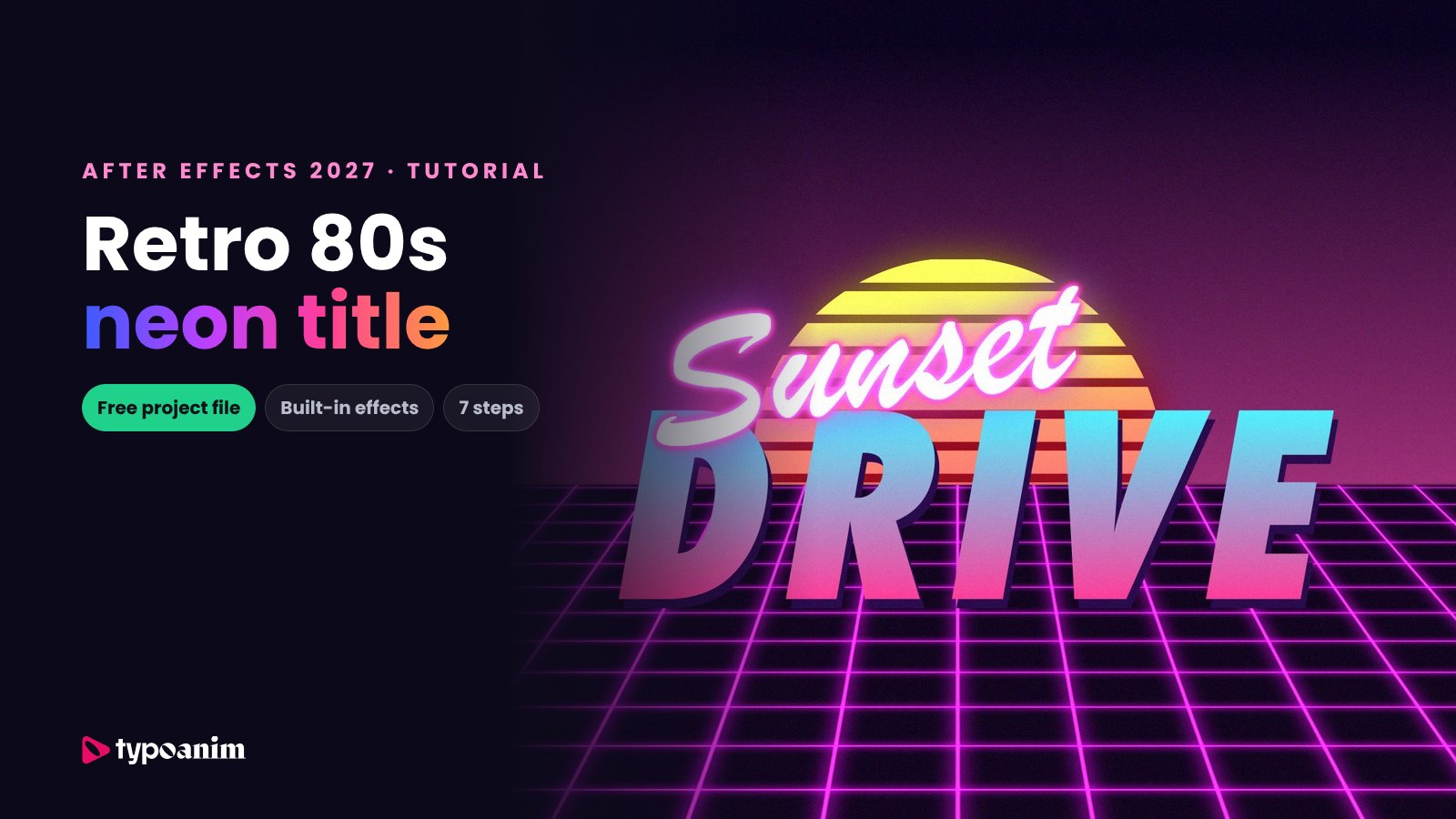
In this tutorial you build a retro 80s neon title in After Effects 2027, the sunset-and-palm-trees look everyone is talking about since GTA 6 came out: a gradient sky, a striped retro sun, a moving neon grid floor, gradient caps and a flickering neon script. Only built-in effects are used (Gradient Ramp, Venetian Blinds, Grid, Glow, Drop Shadow and Noise), and the finished project file is a free download.
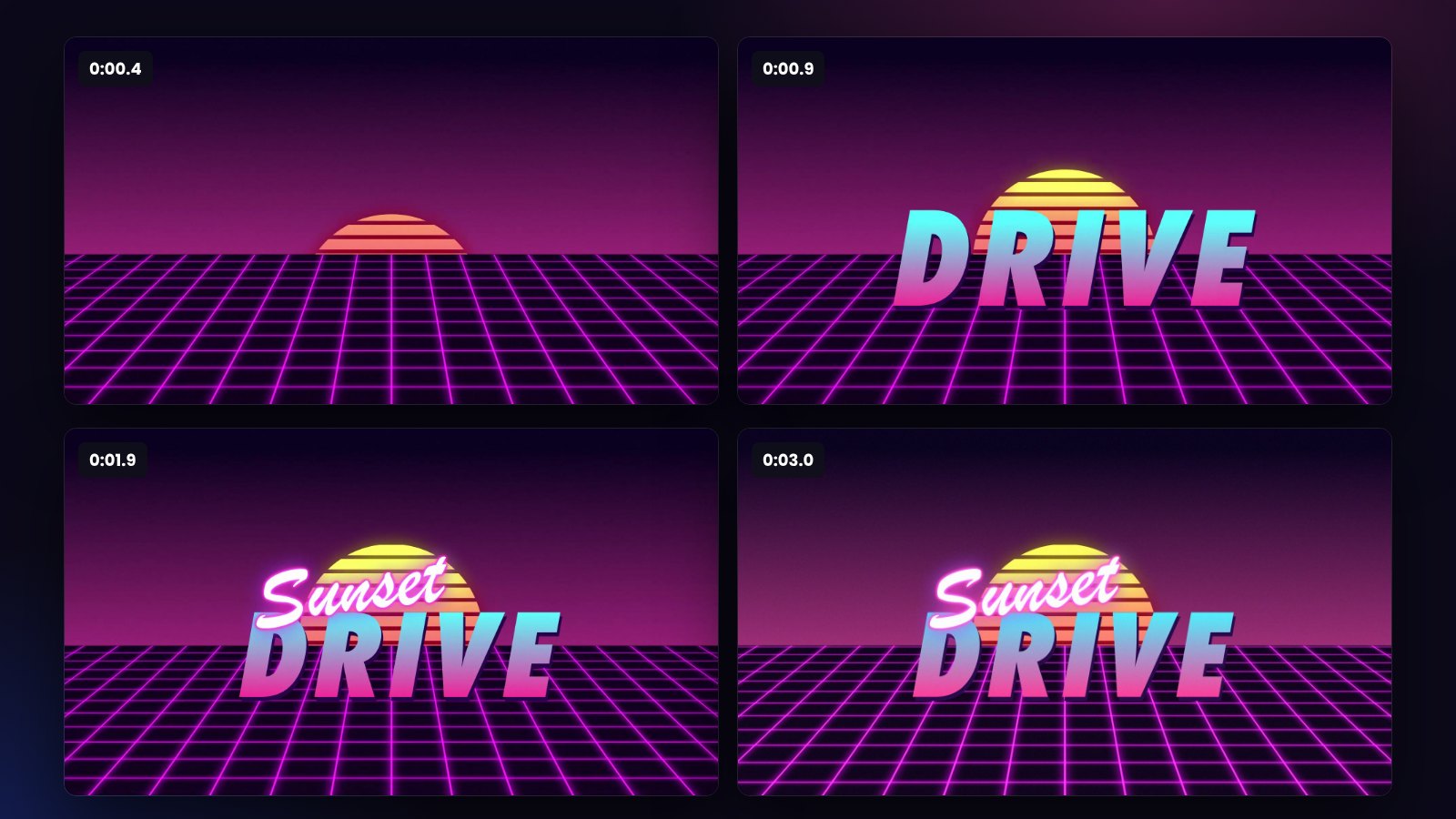
Steps
Step 1Create the comp and the sunset sky
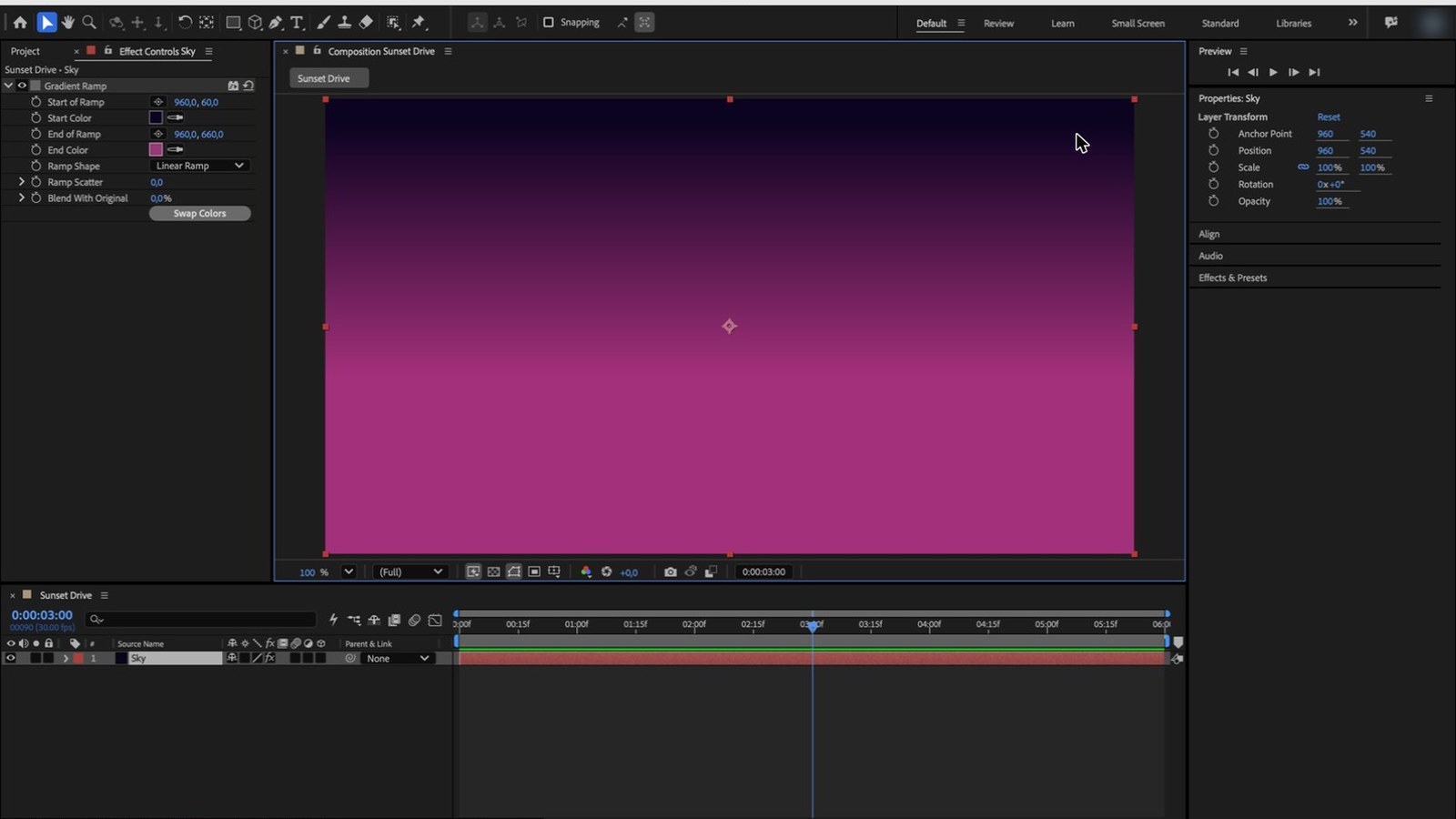
- Choose Composition > New Composition: 1920 x 1080, 30 fps, 6 seconds. Name it "Sunset Drive".
- Create a solid with Layer > New > Solid and name it "Sky".
- Apply Effect > Generate > Gradient Ramp. Set Start of Ramp to 960, 60 with color #0B0320 and End of Ramp to 960, 660 with #A3307A.
Step 2Make the striped retro sun
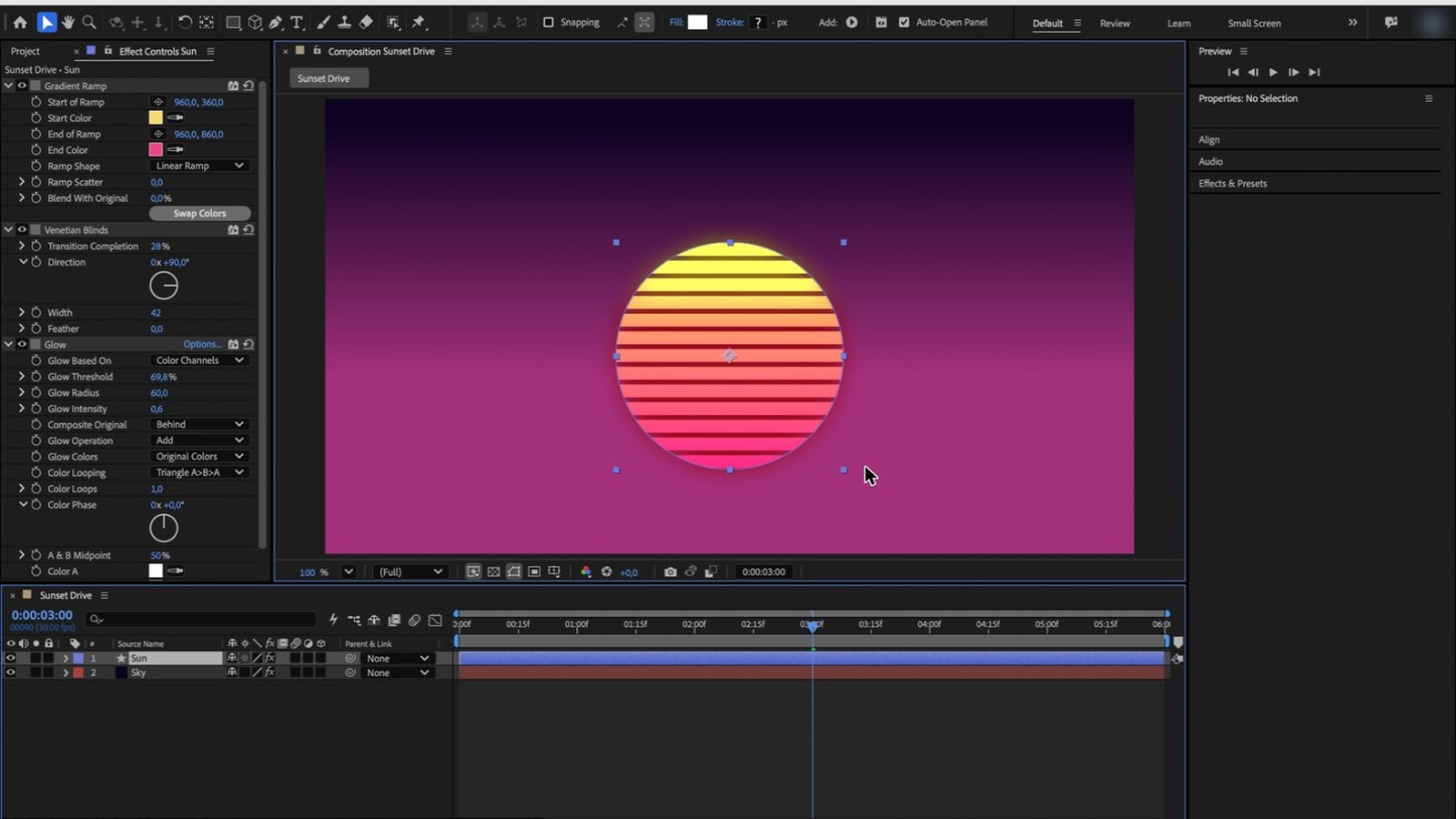
- Deselect all layers, then double-click the Ellipse tool. Set the Ellipse Size to 540 x 540 and the layer Position to 960, 610. Name the layer "Sun".
- Apply Gradient Ramp: Start 960, 360 with #FFD75E (yellow), End 960, 860 with #FF2E88 (pink).
- Apply Effect > Transition > Venetian Blinds: Transition Completion 28%, Direction 90°, Width 42. This creates the horizontal stripes.
- Apply Effect > Stylize > Glow: Threshold 70%, Radius 60, Intensity 0.6.
Step 3Build the neon grid floor
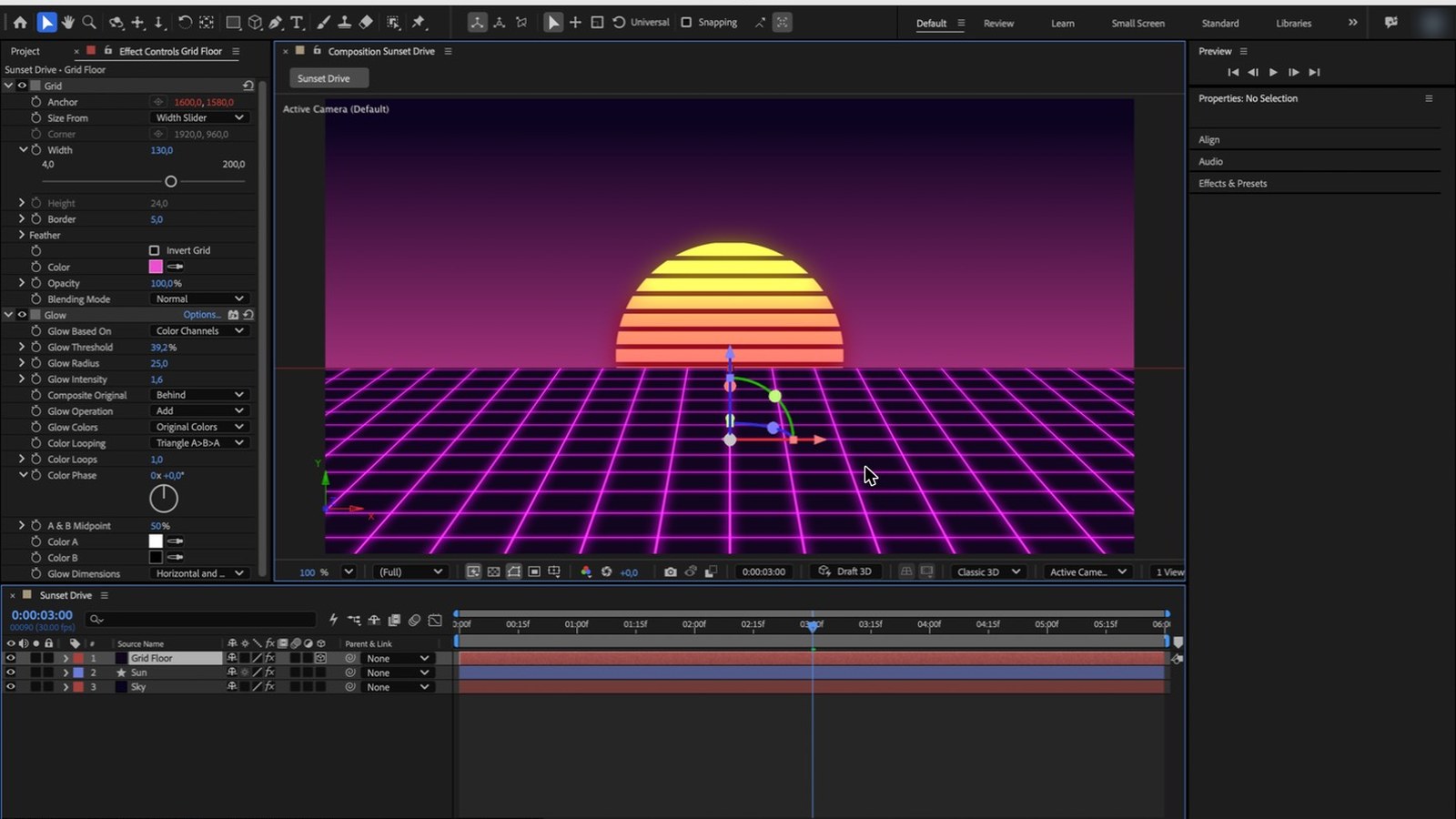
- Create a new solid, 3200 x 1600, color #12051F, named "Grid Floor".
- Turn on the 3D Layer switch. Set Position to 960, 808, 0 and X Rotation to -80°. The top edge of the floor now sits on the horizon and hides the bottom of the sun.
- Apply Effect > Generate > Grid: Size From "Width Slider", Width 130, Border 5, Color #FF3DD4, Blending Mode "Normal".
- Alt-click (Option-click on Mac) the stopwatch next to the Grid's Anchor and type this expression, so the lines move towards you:
[value[0], value[1] + time * 260]
Finish with a Glow: Threshold 39%, Radius 25, Intensity 1.6.
Step 4Add the gradient caps
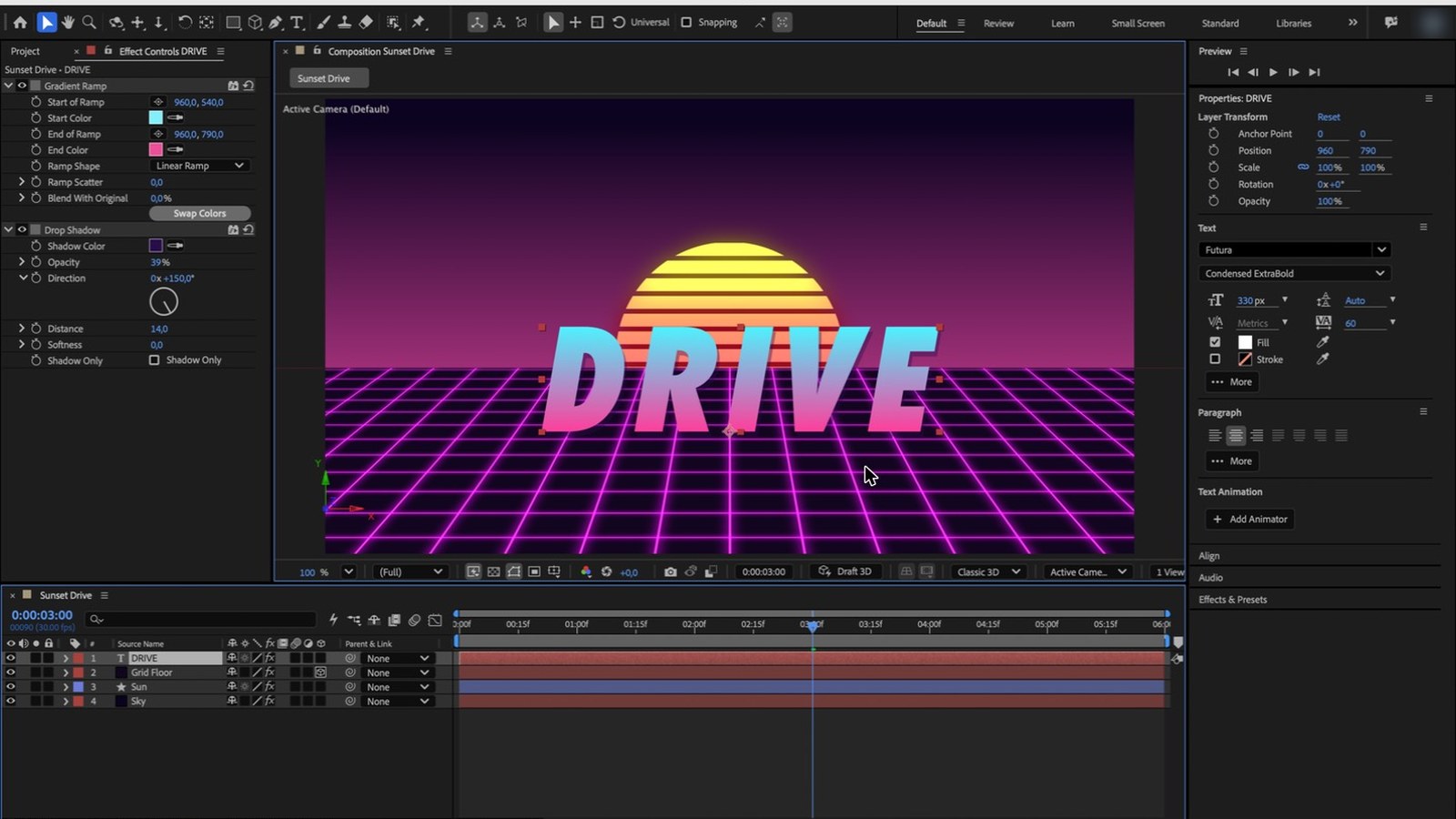
- With the Type tool, type your main word. We used "DRIVE" in Futura Condensed ExtraBold, 330 px, tracking 60, Faux Italic on, centered. Set Position to 960, 790.
- Apply Gradient Ramp: Start 960, 540 with #4DF3FF (cyan), End 960, 790 with #FF3D9A (pink). On a text layer the ramp only colors the letters.
- Apply Effect > Perspective > Drop Shadow: color #2A0B4D, Opacity 100%, Direction 150°, Distance 14, Softness 0. A hard shadow looks more retro than a soft one.
No Futura on Windows? Anton (free on Google Fonts) with Faux Italic gives a very similar shape.
Step 5Add the neon script
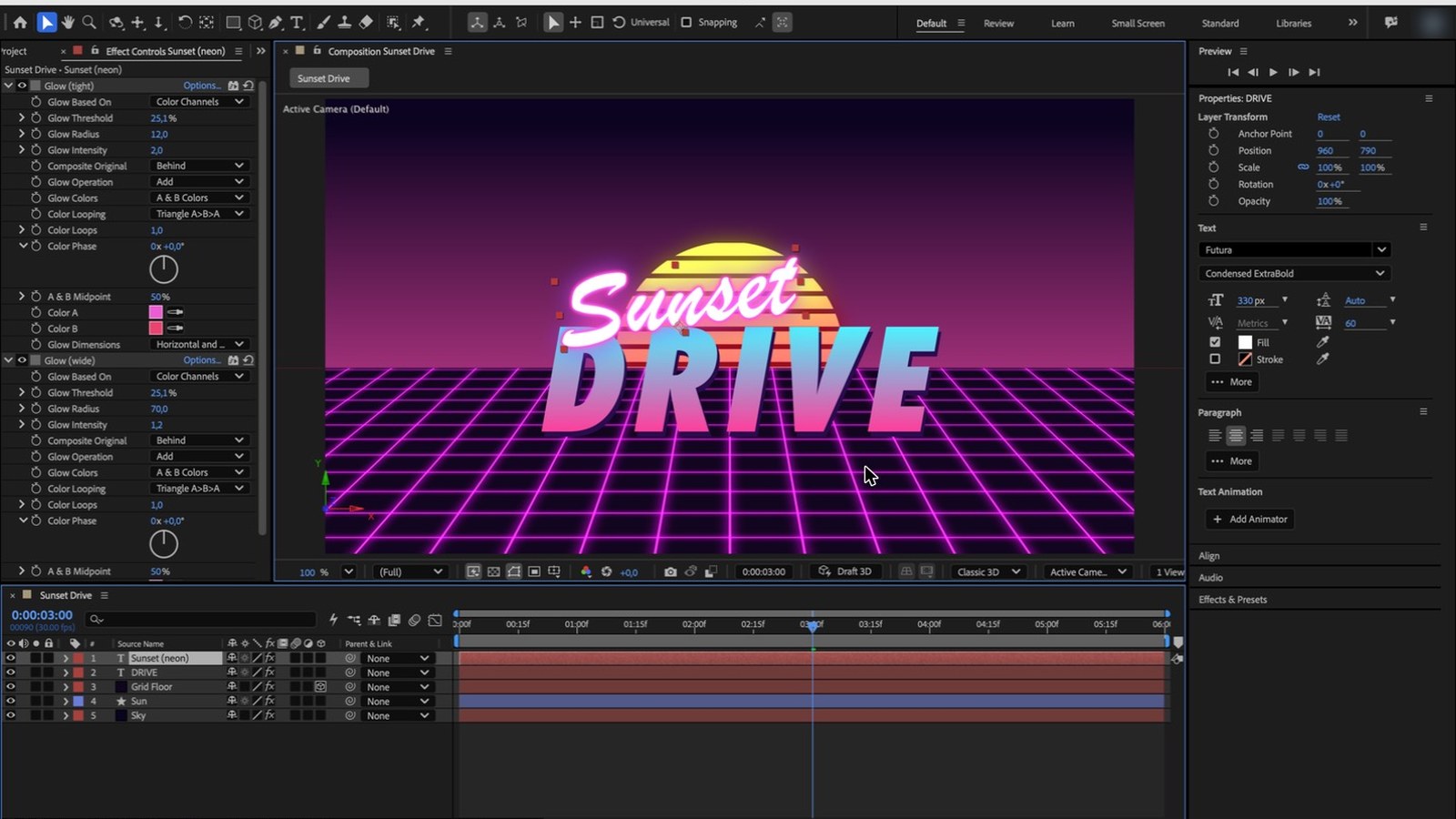
- Type the script word ("Sunset") in a brush script such as Brush Script MT, 250 px, color #FFF0FB (almost white). Set Position 840, 540 and Rotation -8°.
- Apply Glow and rename it "Glow (tight)": Threshold 25%, Radius 12, Intensity 2, Glow Colors "A & B Colors", Color A #FF4FD8, Color B #FF2A6D.
- Duplicate the effect (Cmd/Ctrl + D), rename it "Glow (wide)" and set Radius 70, Intensity 1.2, Color B #7A3CFF.
The trick of every neon effect: the text itself is almost white, and the color comes from the glow.
Step 6Animate it: keyframes and a flicker expression
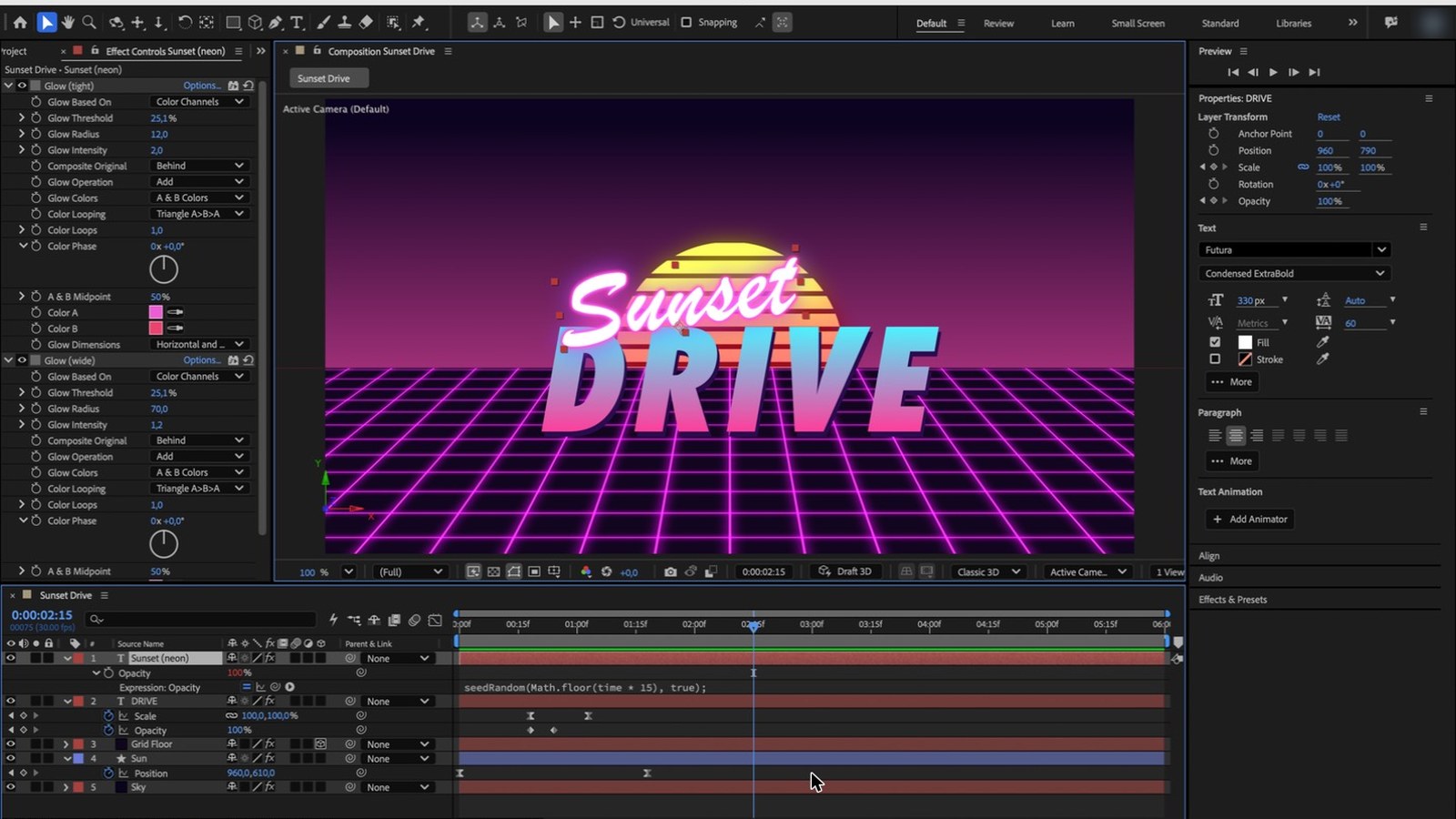
- Sun rises: Position 960, 800 at 0s and 960, 610 at 1.6s.
- Caps slam in: Scale 170% at 0.6s and 100% at 1.1s, Opacity 0% at 0.6s and 100% at 0.8s.
- Select all keyframes and press F9 (Easy Ease).
- Neon flicker: Alt/Option-click the Opacity stopwatch of the script layer and paste:
seedRandom(Math.floor(time * 15), true);var r = random();time < 1.2 ? 0 : (time < 2.2 ? (r < 0.5 ? 15 : 100) : (r < 0.06 ? 40 : 100));
The neon stays off until 1.2s, flickers hard for one second like a tube warming up, and then only blinks now and then. Change 15 (flickers per second) or 0.06 (how often it blinks later) to taste. In After Effects 2027 you can also ask the AI Assistant to write a flicker like this for you.
Step 7Add film grain and render
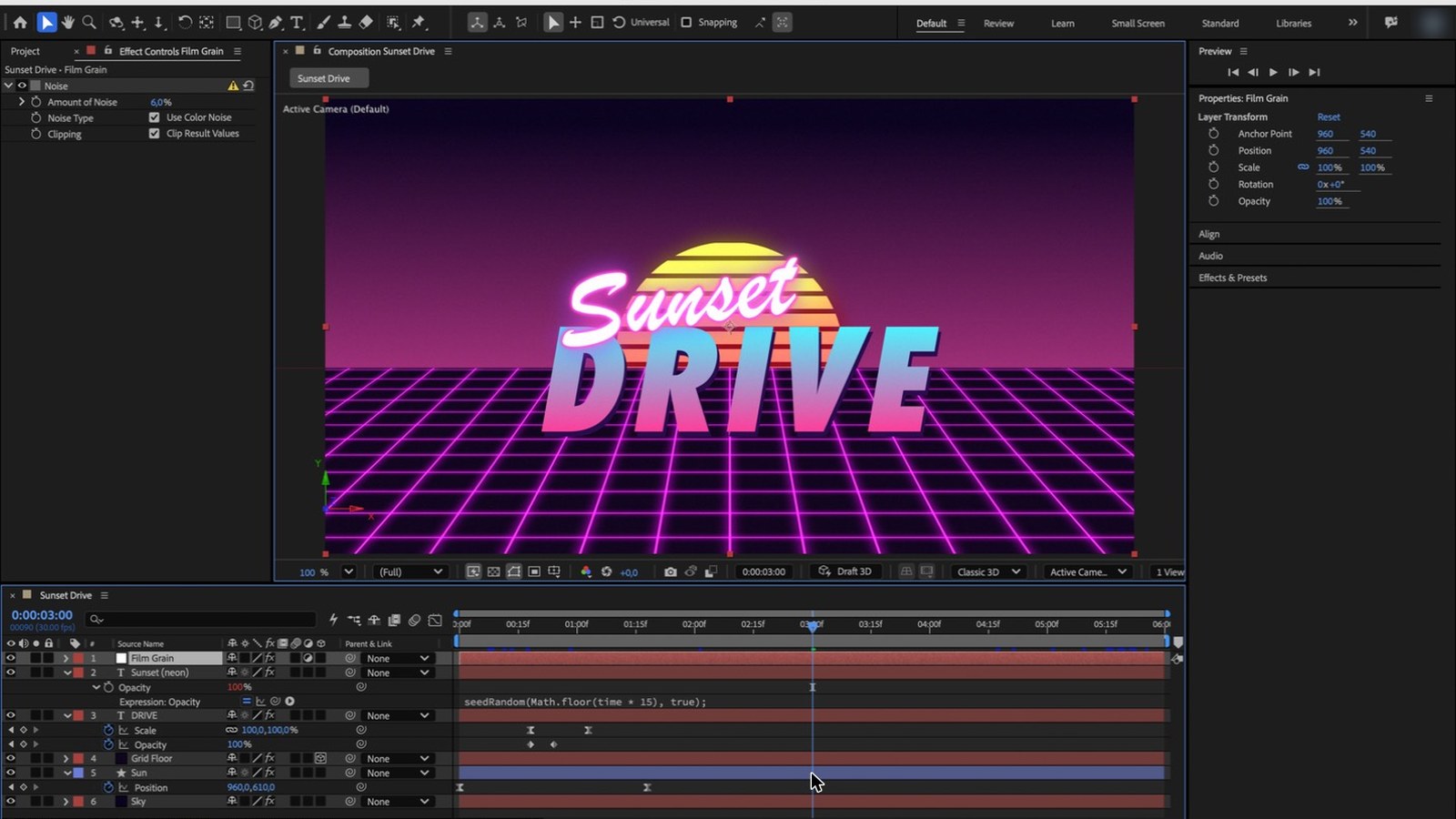
- Choose Layer > New > Adjustment Layer and apply Effect > Noise & Grain > Noise with Amount of Noise 6%.
- Choose Composition > Add to Render Queue, pick an H.264 output module and click Render.
Want more retro looks?
Read our guide to the GTA 6 font and logo for the colors and fonts behind the Vice City style, or start from one of these ready-made templates:
Retro neon title: FAQ
How do you make a neon glow in After Effects?
Make the text almost white and add two Glow effects with "A & B Colors": a small radius for the tube and a large radius for the light around it.
How do you make a retro grid in After Effects?
Apply Effect > Generate > Grid to a large solid, make it a 3D layer and rotate it about -80° on the X axis. An expression on the grid's Anchor makes it move.
Which After Effects version do I need for the free project file?
The project is saved for After Effects 2025 and later. It uses only built-in effects, so no plugins are needed.
Can I use the project in commercial work?
Yes. Change the text, colors and fonts and use the rendered video in your own projects.
Retro 80s neon title: the short version
Gradient Ramp for the sky, an ellipse with Venetian Blinds for the striped sun, the Grid effect on a tilted 3D solid for the floor, gradient caps with a hard shadow, a white script with two Glows, keyframes plus a flicker expression, and a little noise. Or download the free project file and change the words.
— Mansura