
Where Is Lumetri Color in Premiere Pro 2027? (Effect, Scopes and Color Mode)
The Lumetri Color panel is gone in Premiere Pro 2027, but the Lumetri Color effect is not. See where to find it, how to edit it in Properties and Effect Controls, and where Lumetri Scopes and color settings went.
 7 min read
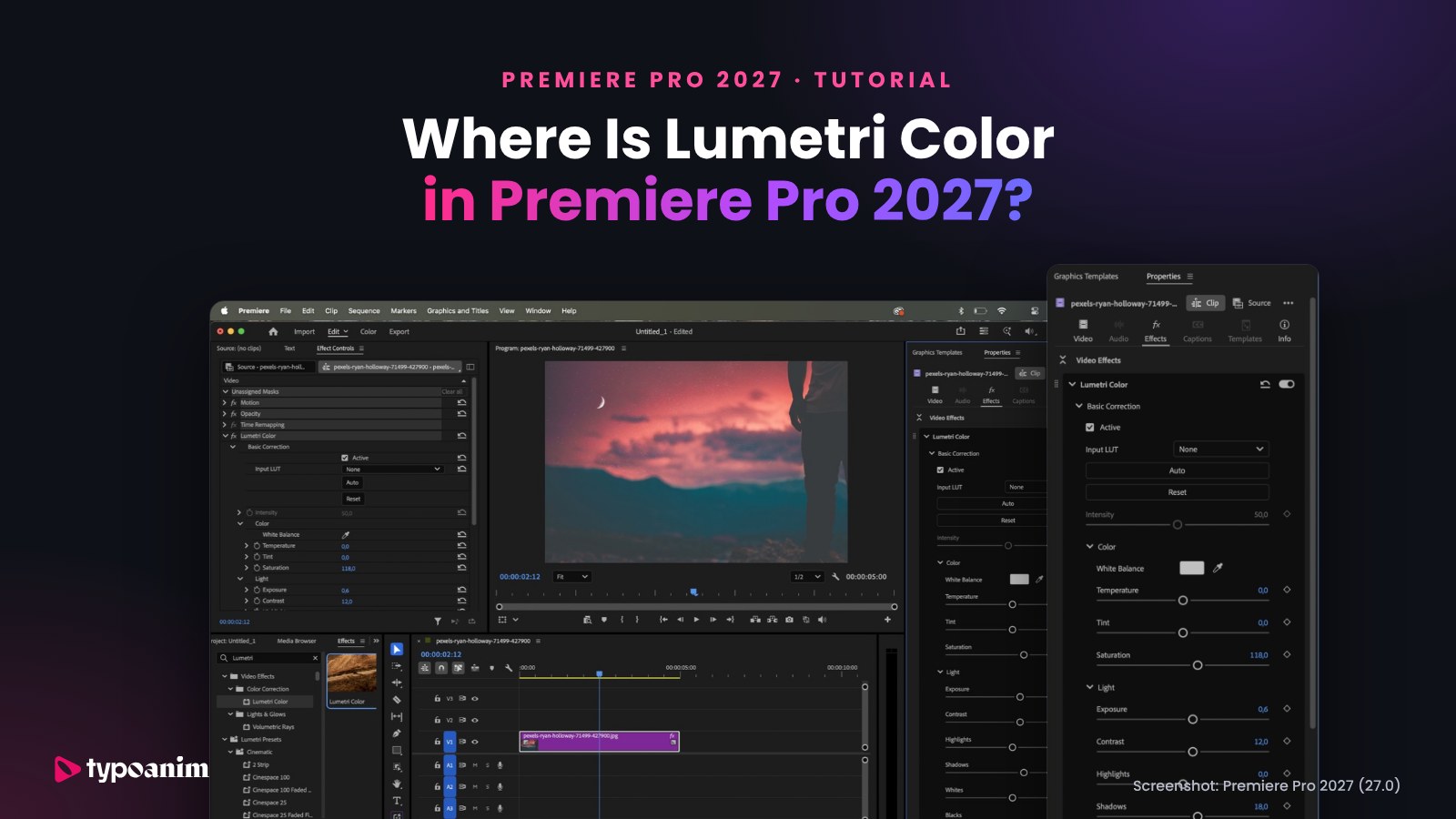
Short answer: in Premiere Pro 2027 (version 27.0) the Lumetri Color panel is gone, but the Lumetri Color effect is still there. Find it in Effects > Video Effects > Color Correction > Lumetri Color, drag it onto a clip and edit it in the Properties panel or in Effect Controls. For new color grading, Adobe recommends the new Color mode.
After the Premiere Pro 2027 update, a lot of editors opened the Window menu, looked for Lumetri Color and found nothing. If that happened to you, don't worry: your Lumetri tools did not disappear, they just moved. We tested everything in the real Premiere Pro 2027 release, and every screenshot in this guide comes from it.
Below you will see where the Lumetri Color effect is now, how to edit it, where Lumetri Scopes and the color management settings went, and what happens to your old projects with Lumetri grades.
In this Lumetri Color guide
- Why can't I find the Lumetri Color panel?
- Step 1: Find the Lumetri Color effect
- Step 2: Edit Lumetri in the Properties panel
- Step 3: Edit Lumetri in Effect Controls
- Where are Lumetri Scopes?
- Where are the Input LUT and color settings?
- What happens to old projects with Lumetri?
- Lumetri Color vs Color mode
- FAQ
Why can't I find the Lumetri Color panel in Premiere Pro 2027?
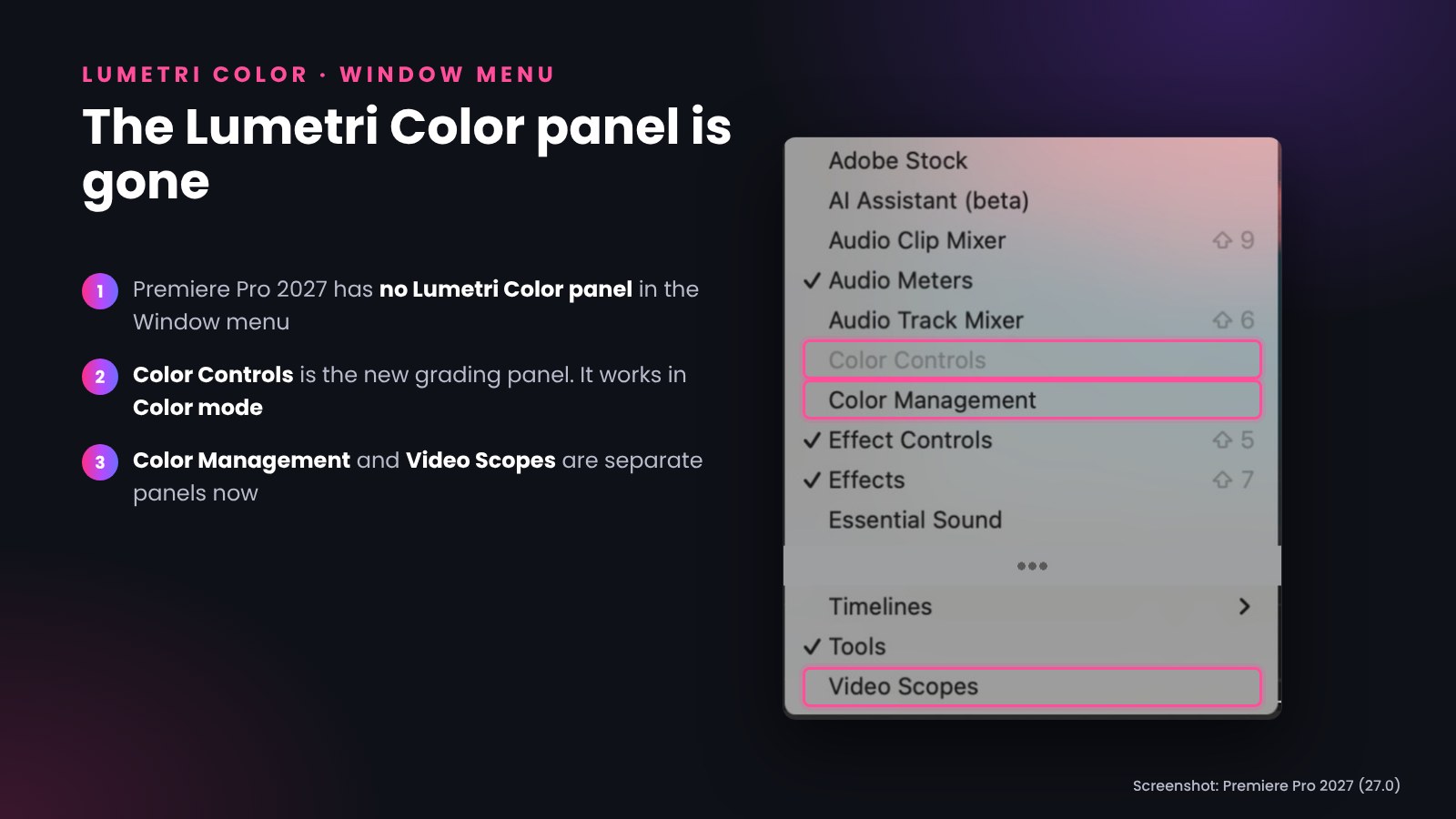
Because Adobe retired it. In Premiere Pro 2027 (Premiere 27.0) the Lumetri Color panel was replaced by the new Color mode. When we opened the Window menu, there was no Lumetri Color entry. Instead we found three new color panels:
- Color Controls: the grading panel of Color mode. In Edit mode it is grayed out in the Window menu, because it works in Color mode.
- Color Management: input LUTs, media color space and the sequence color setup.
- Video Scopes: the waveform and the other scopes.
The Lumetri Color effect is still part of Premiere Pro 2027. Here is how to use it.
Step 1Where is the Lumetri Color effect in Premiere Pro 2027?
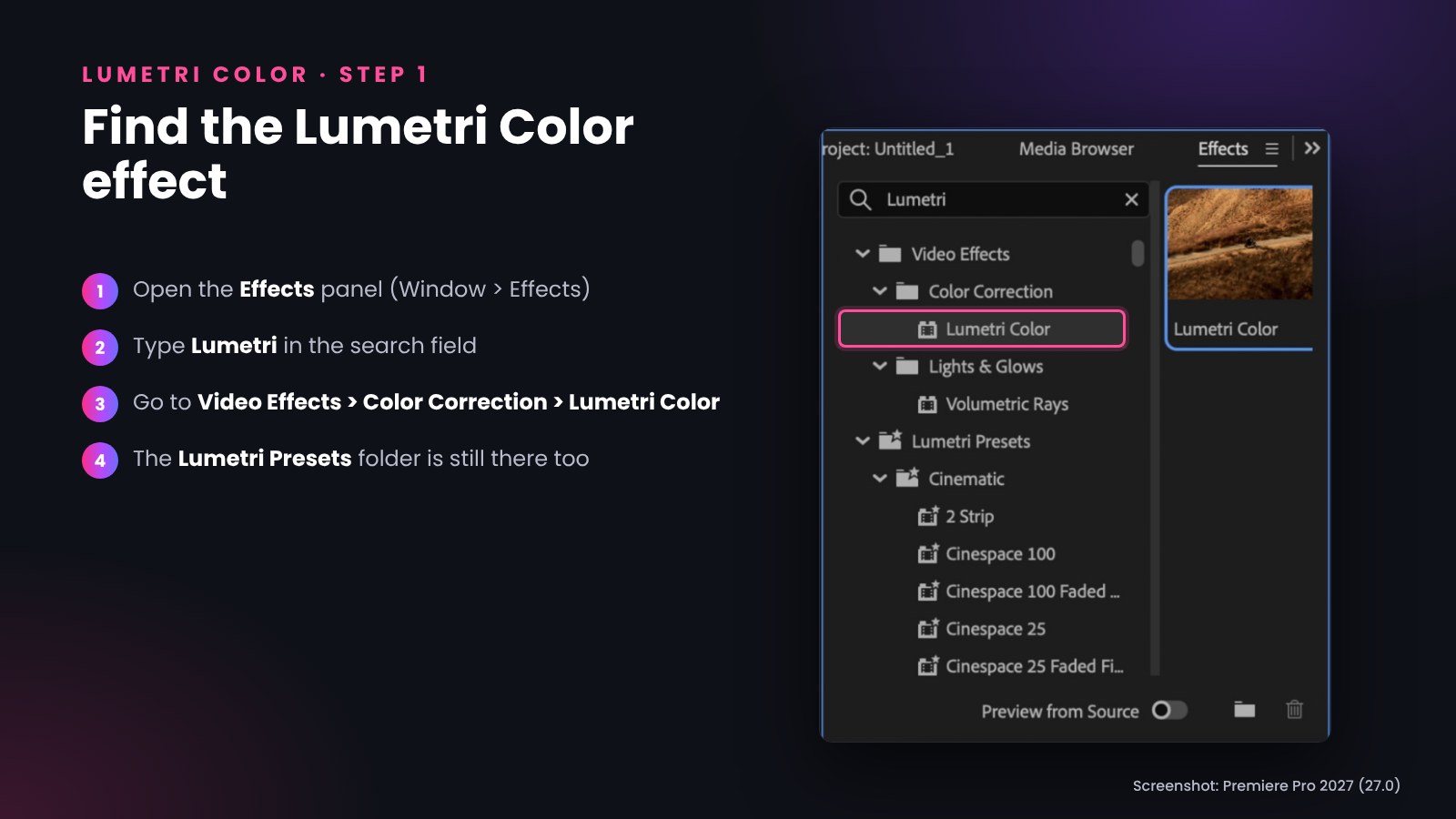
- Open the Effects panel (Window > Effects).
- Type Lumetri in the search field.
- Open Video Effects > Color Correction. The Lumetri Color effect is there.
- Drag it onto a clip in the Timeline. You can also drag it onto an adjustment layer to grade several clips at once.
The Lumetri Presets folder is also still in the Effects panel, with the Cinematic and other preset looks.
Step 2How do you edit Lumetri Color in the Properties panel?
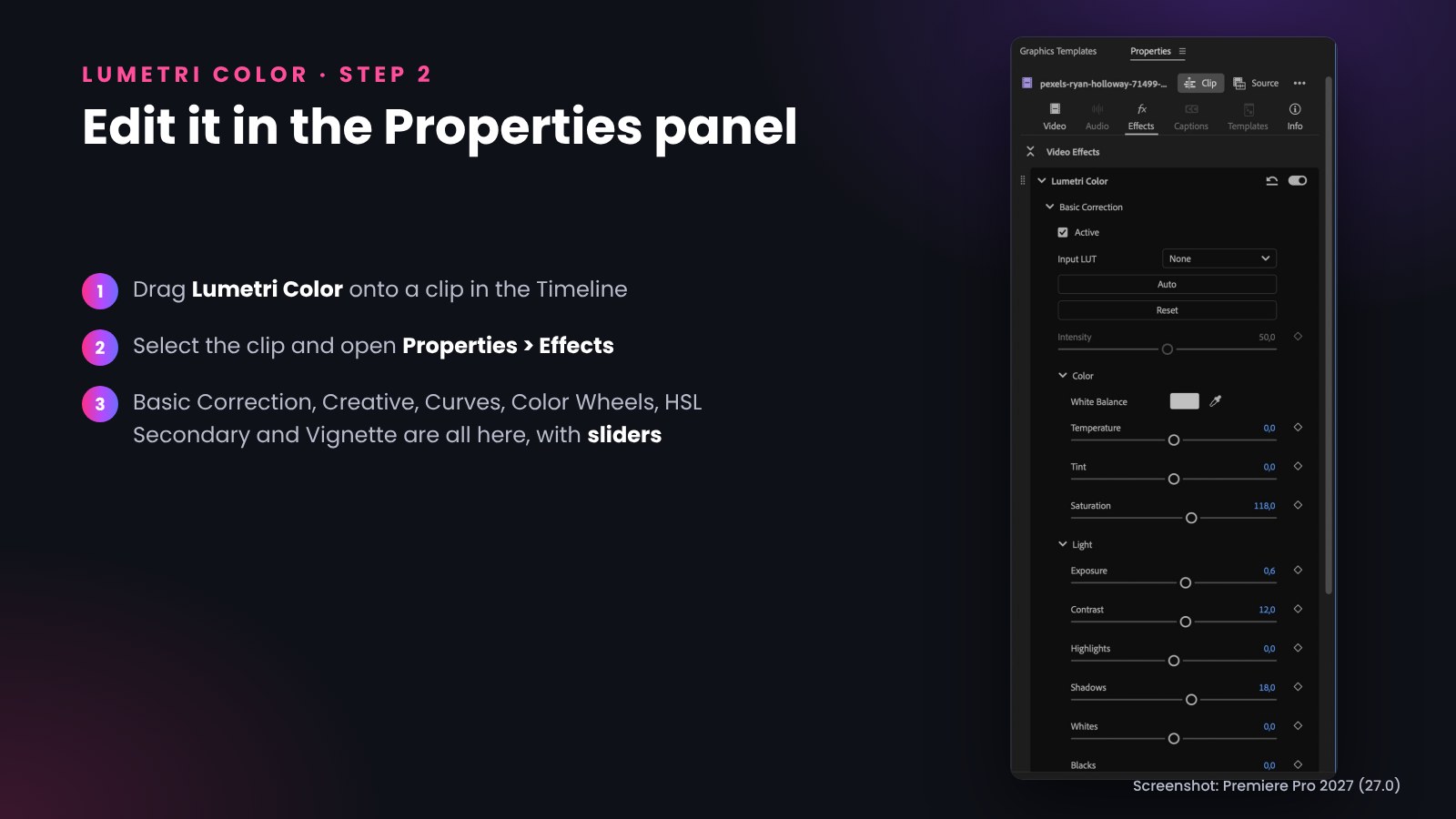
Adobe's recommended place to edit the Lumetri Color effect in Premiere Pro 2027 is the Properties panel:
- Select the clip in the Timeline.
- In the Properties panel, click the Effects tab.
- Expand Lumetri Color.
All the familiar sections are here: Basic Correction, Creative, Curves, Color Wheels, HSL Secondary and Vignette. Basic Correction still has Input LUT, Auto, White Balance, Temperature, Tint, Saturation, and the Light controls Exposure, Contrast, Highlights, Shadows, Whites and Blacks. In our test we set Exposure to 0.6, Contrast to 12, Shadows to 18 and Saturation to 118, and the changes showed up right away in the Program Monitor.
Step 3Can you still use Lumetri in Effect Controls?
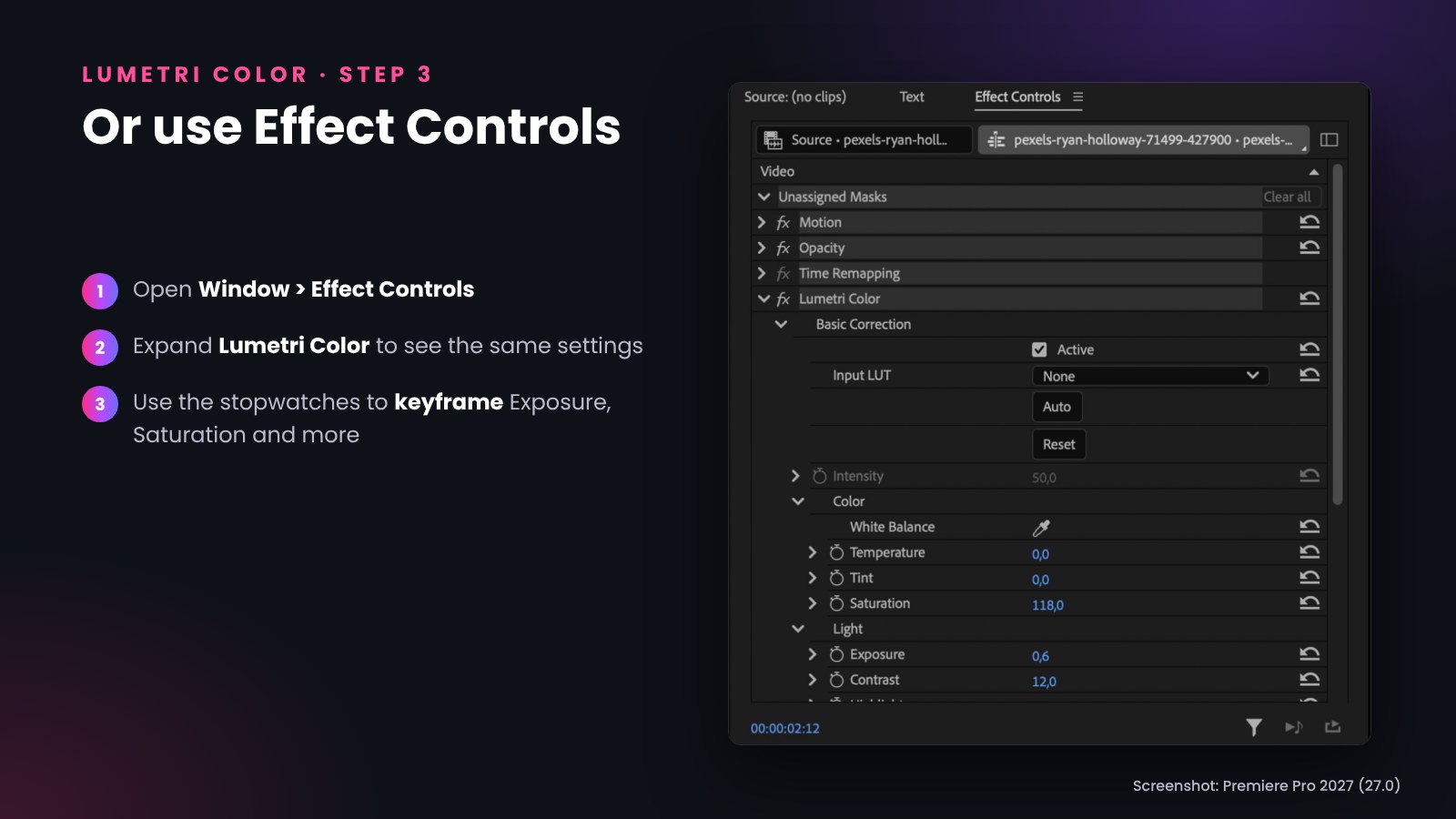
Yes. Open Window > Effect Controls and expand Lumetri Color. You get the same settings as in the Properties panel, plus the stopwatches, so you can keyframe Exposure, Saturation or any other Lumetri value over time. If you are used to the old workflow, this will feel the most familiar.
Where are Lumetri Scopes in Premiere Pro 2027?
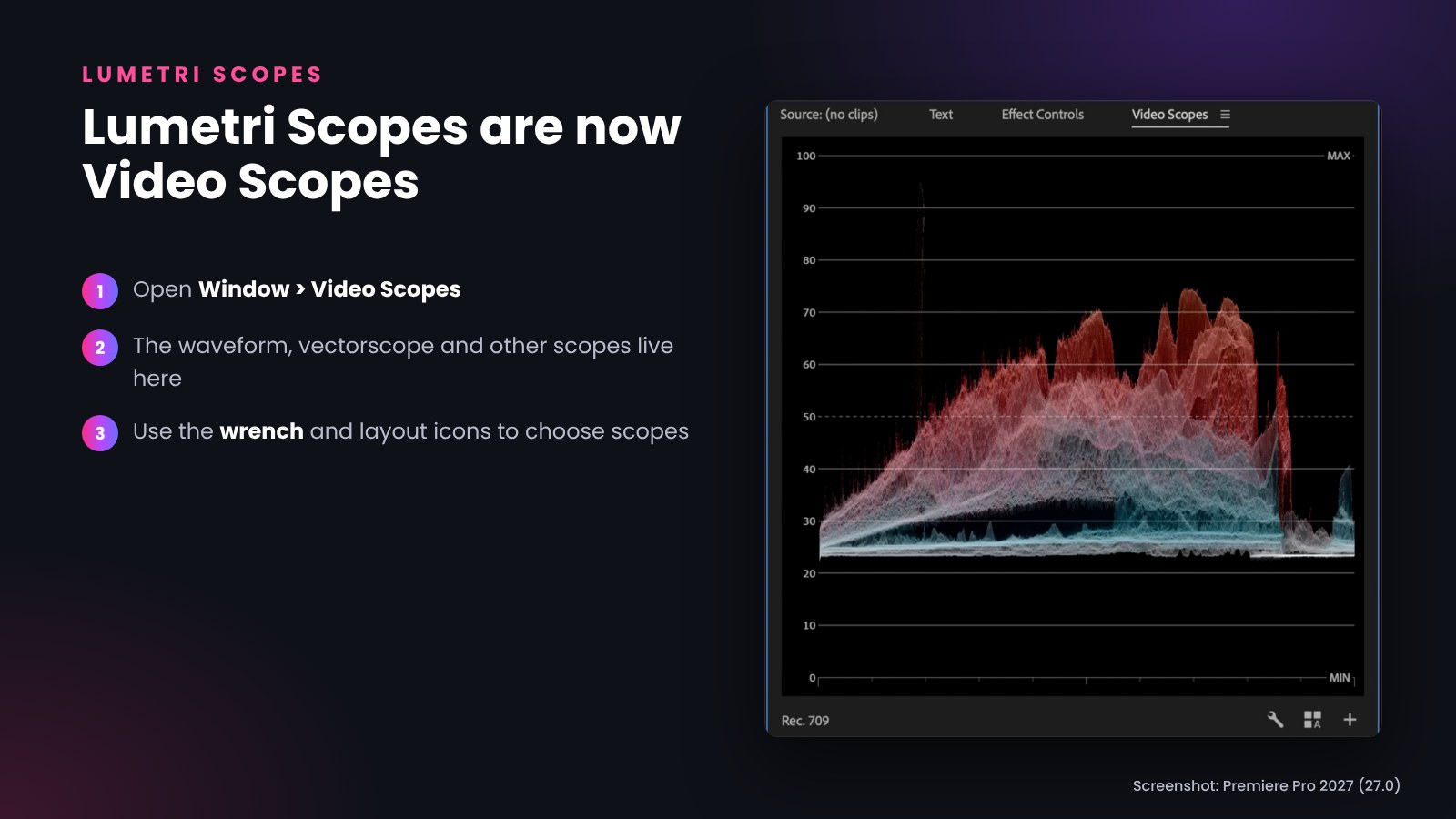
In our Premiere Pro 2027 Window menu, the scopes are called Video Scopes. Choose Window > Video Scopes to open the waveform and the other scopes. Use the wrench and layout icons at the bottom of the panel to pick which scopes you see. In Color mode, the controls also show a small scope (the HUD) while you drag them.
Where are the Input LUT and color settings?
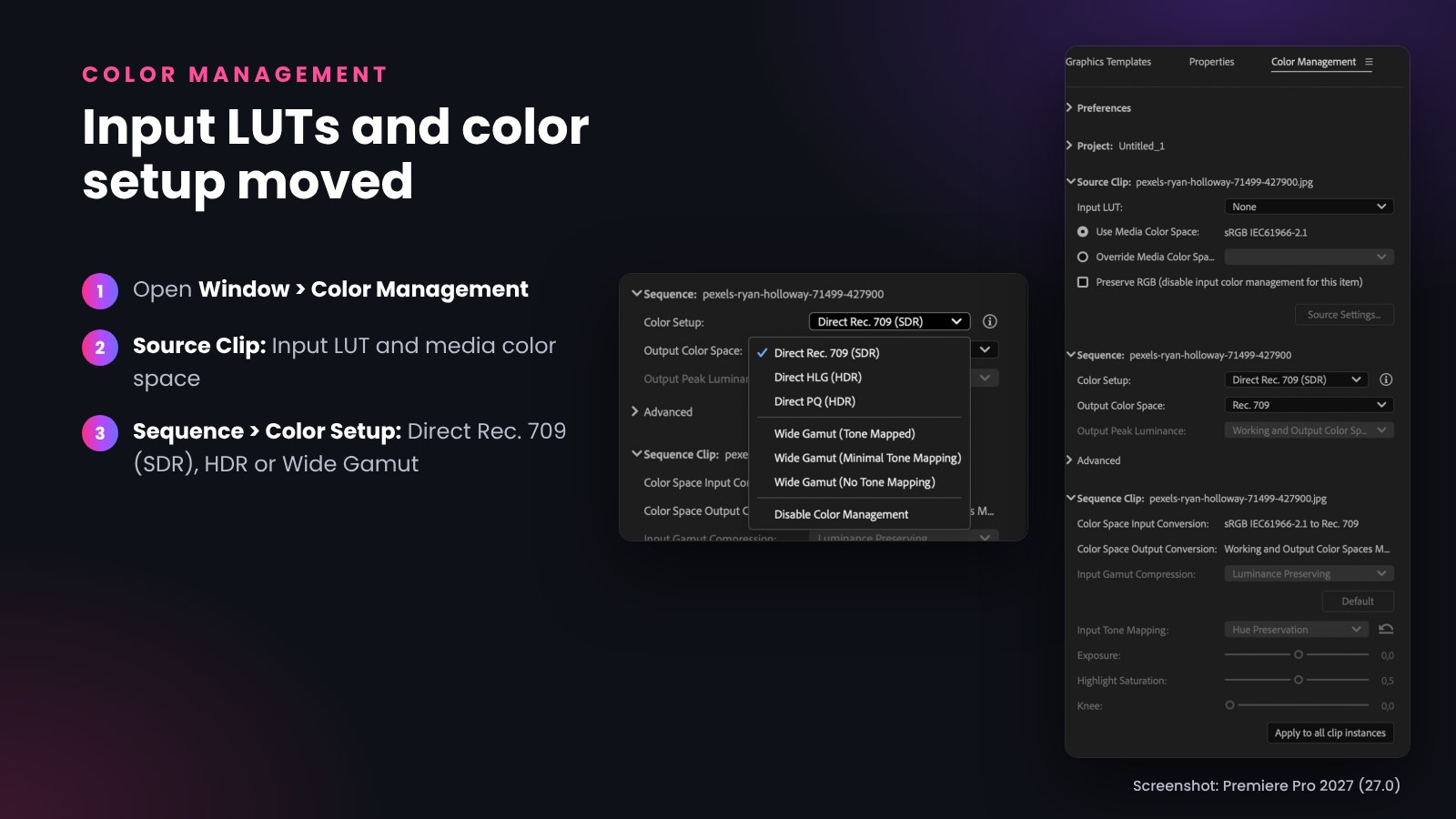
Settings that used to live in or near the Lumetri panel, like converting log or raw footage to SDR or HDR, are now in the Color Management panel (Window > Color Management):
- Source Clip: Input LUT, the media color space and Preserve RGB.
- Sequence > Color Setup: Direct Rec. 709 (SDR), Direct HLG (HDR), Direct PQ (HDR), three Wide Gamut options, or Disable Color Management.
- Output Color Space: for example Rec. 709 for standard video.
The Lumetri Color effect still has its own Input LUT menu in Basic Correction too.
What happens to old projects with Lumetri Color?
According to Adobe, projects with the Lumetri Color effect open in Premiere Pro 2027 with all their Lumetri adjustments intact. On the Premiere Home screen we also saw an Adobe card called "Backward color compatibility for legacy projects", which links to more details.
- Your grades are safe. Existing Lumetri effects stay on your clips and you can keep editing them in Properties or Effect Controls.
- Mixing can limit you. Adobe's community team notes that combining Lumetri effects with Color mode on the same clips can limit some grading options.
- Big Lumetri projects: if a project is heavily graded with Lumetri, you can also finish it in Premiere Pro 2026 (26.x).
Lumetri Color vs Color mode: which should you use?
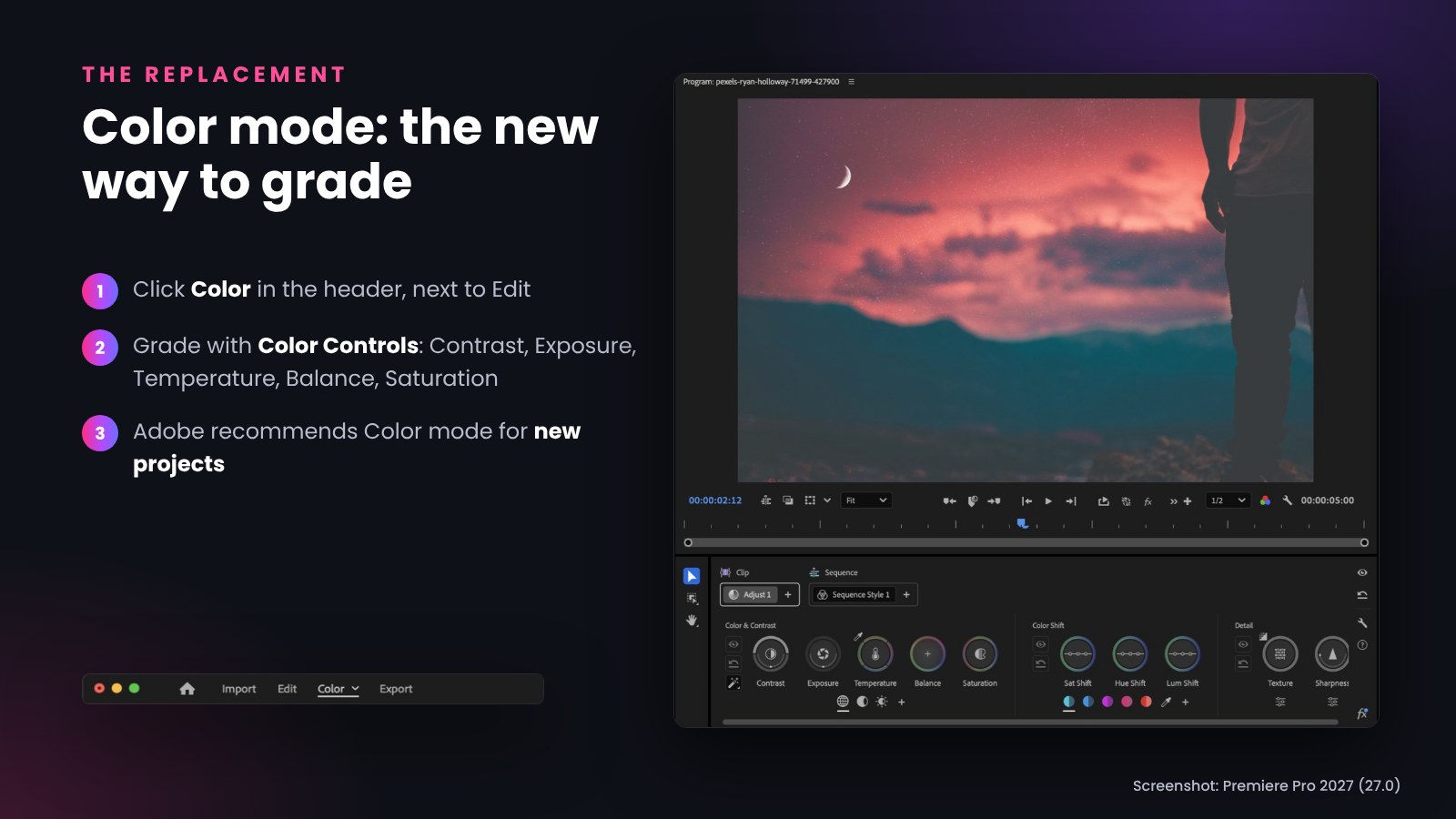
Click Color in the header, next to Edit, to open Color mode. Instead of panels full of sliders, you grade with round Color Controls: Contrast, Exposure, Temperature, Balance and Saturation, plus Color Shift and Detail controls.
- Use the Lumetri Color effect for older projects, for keyframed color changes in Effect Controls, or when you need a familiar slider workflow right now.
- Use Color mode for new projects. Adobe recommends it, and it is where new color features are added.
New to Color mode? Read our step-by-step guide: how to use Color Mode in Premiere Pro 2027.
Color-friendly Premiere Pro templates
Graphics templates sit on their own tracks, so a Lumetri or Color mode grade on your footage doesn't change them. All Typoanim Premiere Pro templates work in Premiere Pro 2023 and later.
Browse premium Premiere Pro templates and free Premiere Pro templates, read how to use MOGRT templates in Premiere Pro, or see all new features in Premiere Pro 2027.
Lumetri Color in Premiere Pro 2027: FAQ
Is Lumetri Color removed from Premiere Pro 2027?
Only the Lumetri Color panel was removed. The Lumetri Color effect is still in Effects > Video Effects > Color Correction.
Where is Lumetri Color in Premiere Pro?
Apply the Lumetri Color effect from the Effects panel, then edit it in Properties > Effects or in Effect Controls.
Can I get the old Lumetri Color panel back?
Not in Premiere Pro 2027. If you need the old panel for a project, you can finish that project in Premiere Pro 2026 (26.x).
Where are Lumetri Scopes in Premiere Pro 2027?
Choose Window > Video Scopes.
Will my old Lumetri grades still work?
Yes. Adobe says existing projects open with all Lumetri adjustments intact.
Are Lumetri presets still available?
Yes. The Lumetri Presets folder is still in the Effects panel.
Where is Lumetri Color? The short version
The Lumetri Color panel is gone in Premiere Pro 2027, but the Lumetri Color effect is not. Find it in Effects > Video Effects > Color Correction, drag it onto a clip and edit it in the Properties panel or Effect Controls. Scopes are in Window > Video Scopes, and Input LUTs and color setup are in Window > Color Management. For new projects, try the new Color mode.
More templates for your next project
Ready to put your new color skills to work? These Typoanim templates are a good place to start: a 3D photo slideshow, an elegant title, animated charts and logo lower thirds.
— Mansura