
Premiere Pro 2027 and After Effects 2027 System Requirements: Intel Mac, Windows 10 and GPU
Will Premiere Pro 2027 run on your computer? See the official macOS, Windows, GPU and RAM requirements for version 27.0, what to do on an Intel Mac or Windows 10, and how to check your computer.
 6 min read
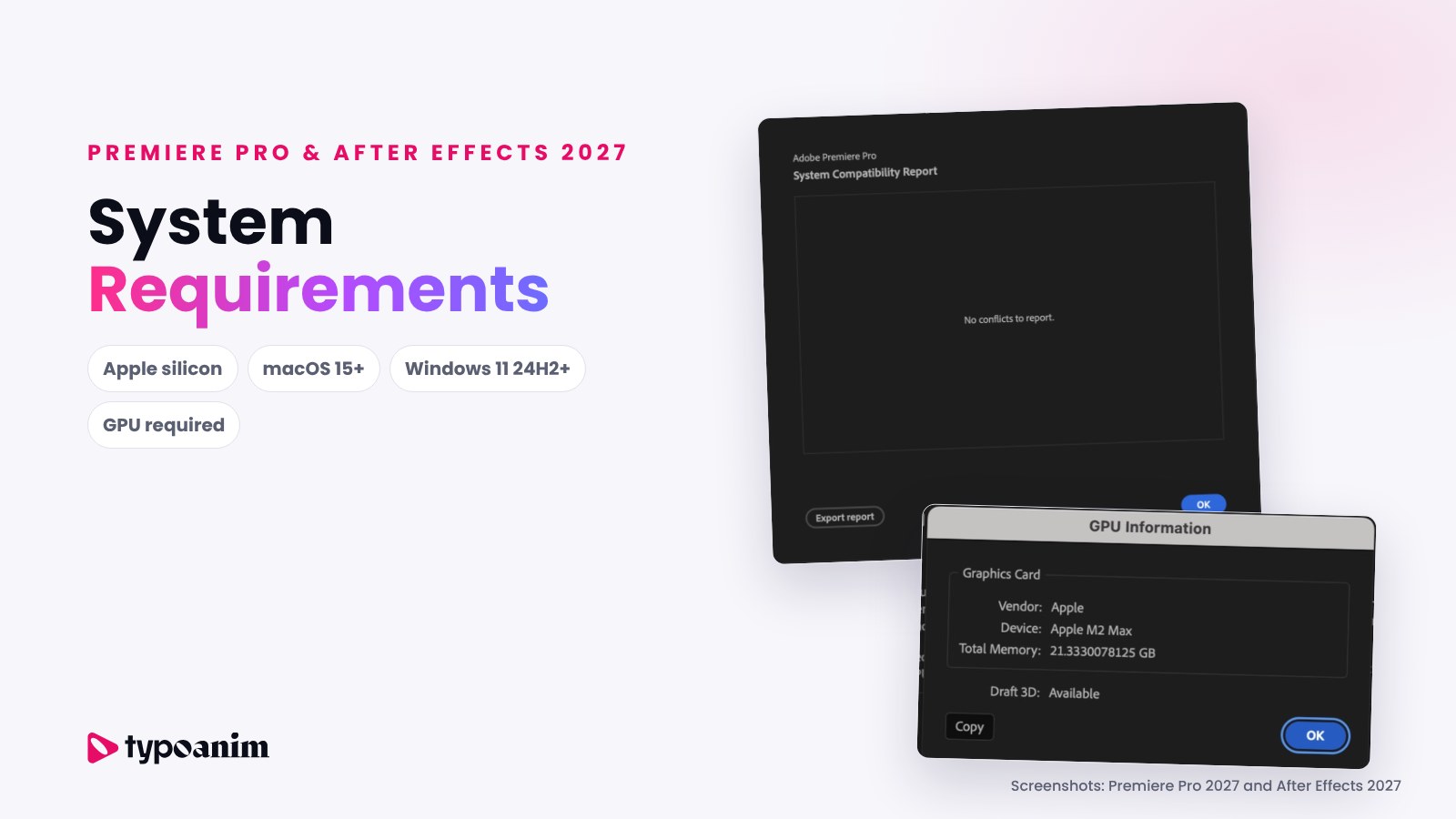
Short answer: Premiere Pro 2027 and After Effects 2027 (version 27.0) need a Mac with Apple silicon (M1 or newer) and macOS 15 Sequoia or later, or Windows 11, version 24H2 or later. Intel Macs are no longer supported, Windows 10 is no longer officially supported, and on Windows Premiere will not launch without a supported GPU.
Version 27.0 is the first release of Adobe's video apps that drops Intel Macs. If you are wondering "will Premiere Pro 2027 run on my computer?", this guide gives you the official requirements from Adobe and shows, with screenshots from our own Mac, how to check your computer in a minute.
In this guide
Premiere Pro 2027 and After Effects 2027 system requirements at a glance
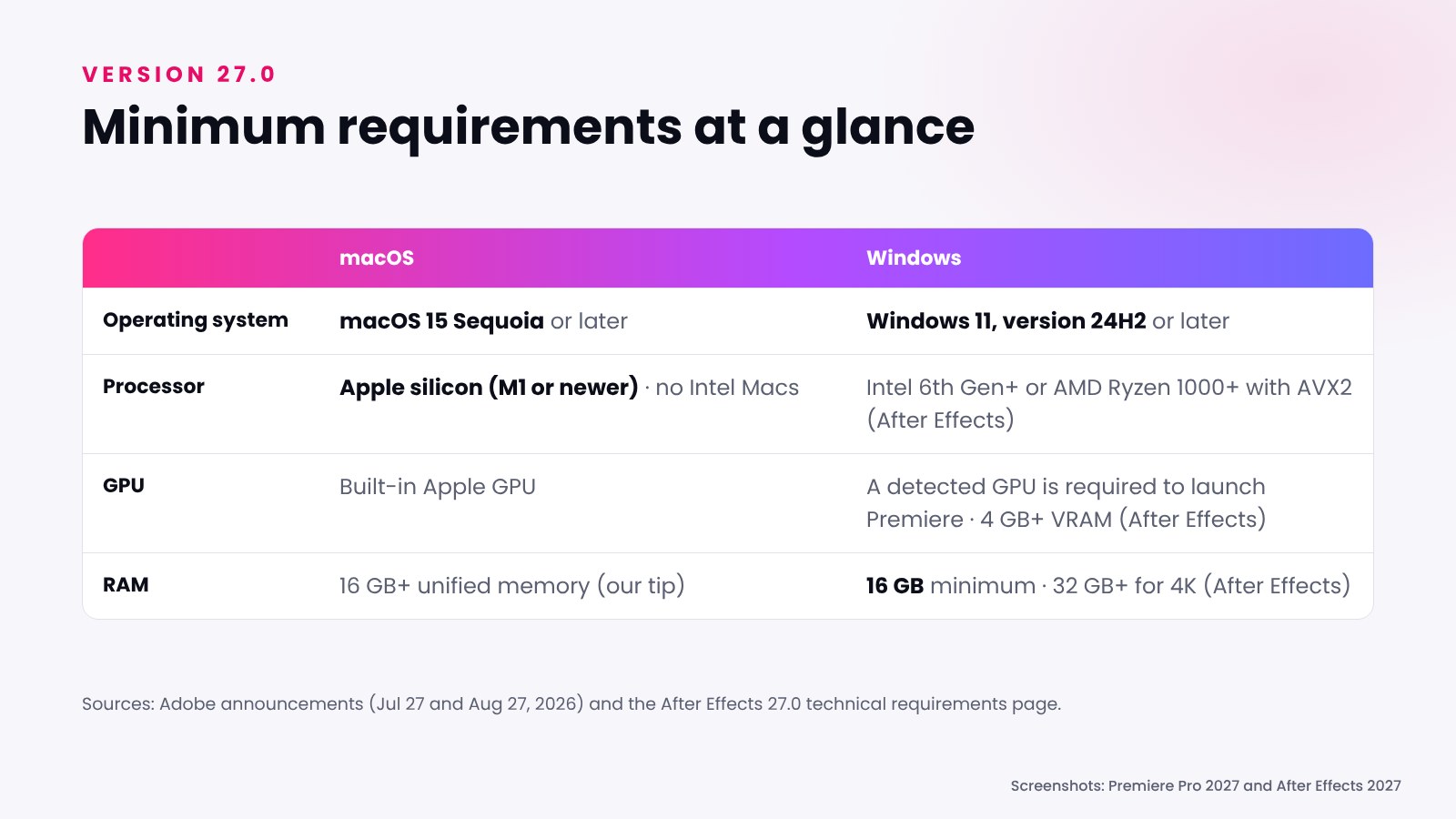
- macOS: macOS 15 Sequoia or later, on Apple silicon (M1 or newer).
- Windows: Windows 11, version 24H2 or later.
- GPU on Windows: Premiere and Media Encoder need a detected, supported GPU to launch.
- After Effects on Windows: 16 GB of RAM minimum (32 GB or more for 4K) and a GPU with at least 4 GB of memory.
Adobe announced these changes for Premiere, After Effects, Media Encoder and Audition on July 27 and August 27, 2026, before the 2027 versions came out in November.
Mac requirements for Premiere Pro 2027
Starting with version 27.0, Adobe's video and audio apps on Mac require macOS 15 (Sequoia) or later on Apple silicon (M1 or newer). If you have an Apple silicon Mac that still runs macOS 14, update macOS first, then update Premiere and After Effects.
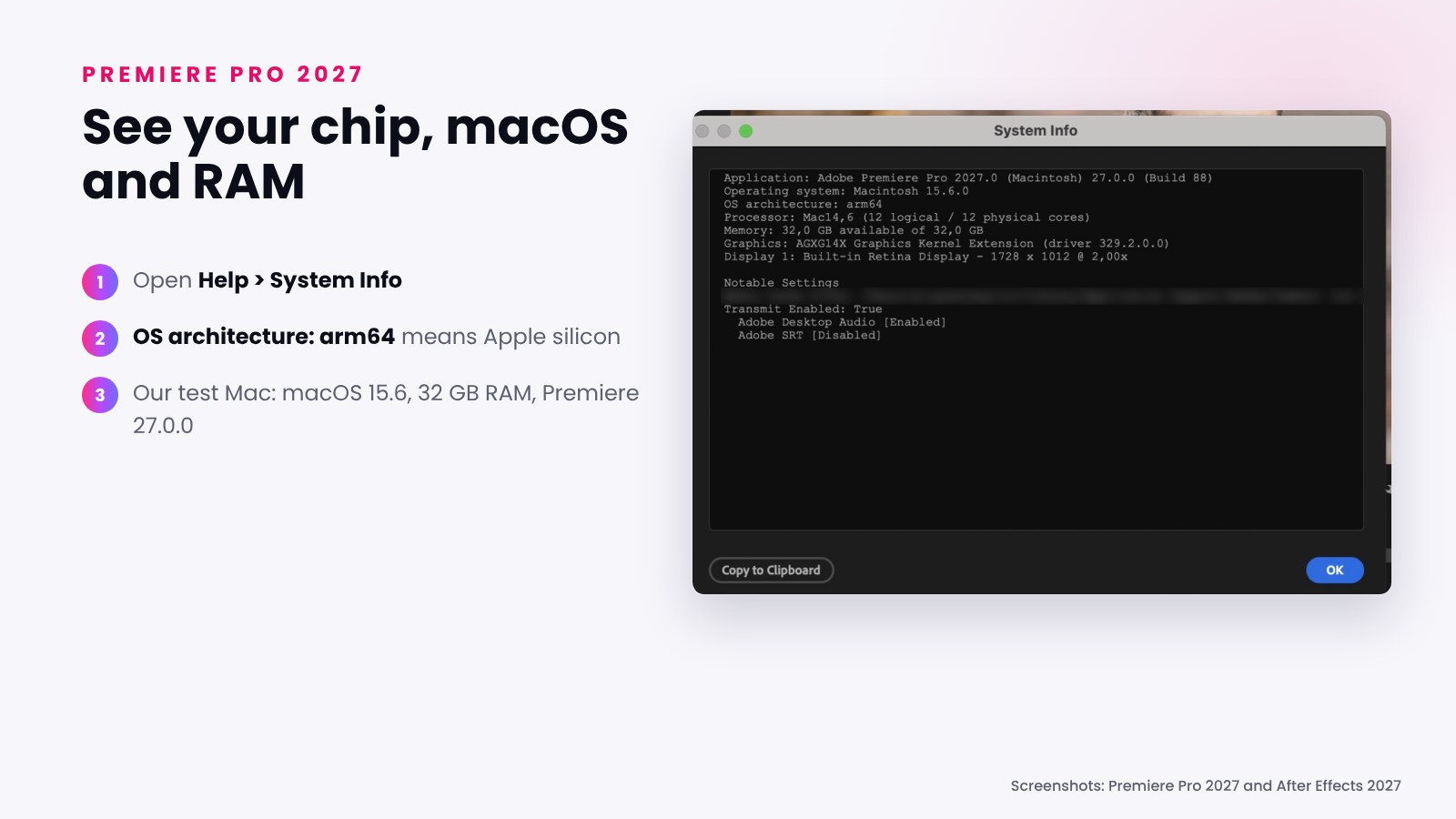
Our test Mac runs macOS 15.6 on Apple silicon with 32 GB of memory. In Premiere's Help > System Info, "OS architecture: arm64" means Apple silicon.
Intel Mac: can you install Premiere Pro 2027?
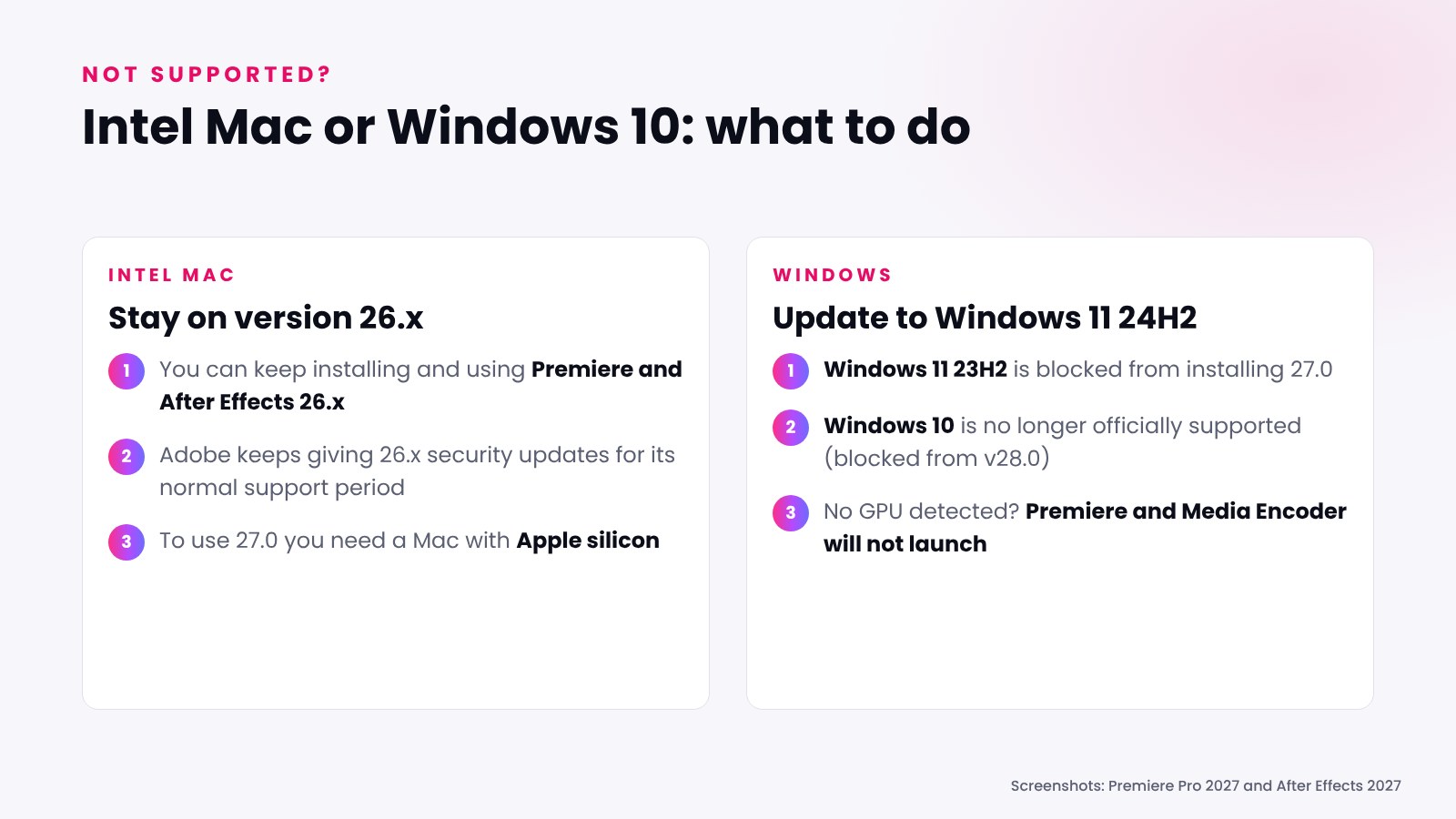
No. Version 27.0 and later do not support Intel-based Macs. According to Adobe:
- You can keep installing and using version 26.x (Premiere Pro 2026 and After Effects 2026) on an Intel Mac.
- Adobe continues security updates for 26.x under its standard support lifecycle.
- To use 27.0 you need a Mac with Apple silicon.
Adobe also notes that Apple's next macOS will not support Intel Macs, so this change affects the whole Mac platform, not only Adobe.
Windows requirements for Premiere Pro 2027
- Windows 11, version 24H2 or later is the minimum for 27.x.
- Windows 11 23H2 is blocked from installing 27.0.
- Windows 10 (22H2 and 21H2 LTSC) is no longer officially supported. Adobe says installing on Windows 10 will be blocked starting with version 28.0.
- Windows Server 2022 can still install and use 27.0.
GPU, RAM and processor
GPU: on Windows, if no GPU is detected, Premiere and Media Encoder will not launch. Adobe also says later 27.x updates will block launch if your only GPU does not meet the minimum. Adobe notes that this GPU rule does not affect After Effects and Audition.
The After Effects 27.0 technical requirements for Windows list:
- Processor: Intel 6th Generation or newer, or AMD Ryzen 1000 Series or newer, with AVX2 support.
- RAM: 16 GB minimum. 16 GB for HD media, 32 GB or more for 4K and higher.
- GPU: at least 4 GB of GPU memory, 8 GB recommended.
- Display: 1440 x 900 minimum, 1920 x 1080 or higher recommended.
On a Mac, the GPU is built into the Apple silicon chip, and memory is shared. For After Effects and 4K editing we recommend 16 GB of memory or more.
How toHow do you check if your computer can run Premiere Pro 2027?
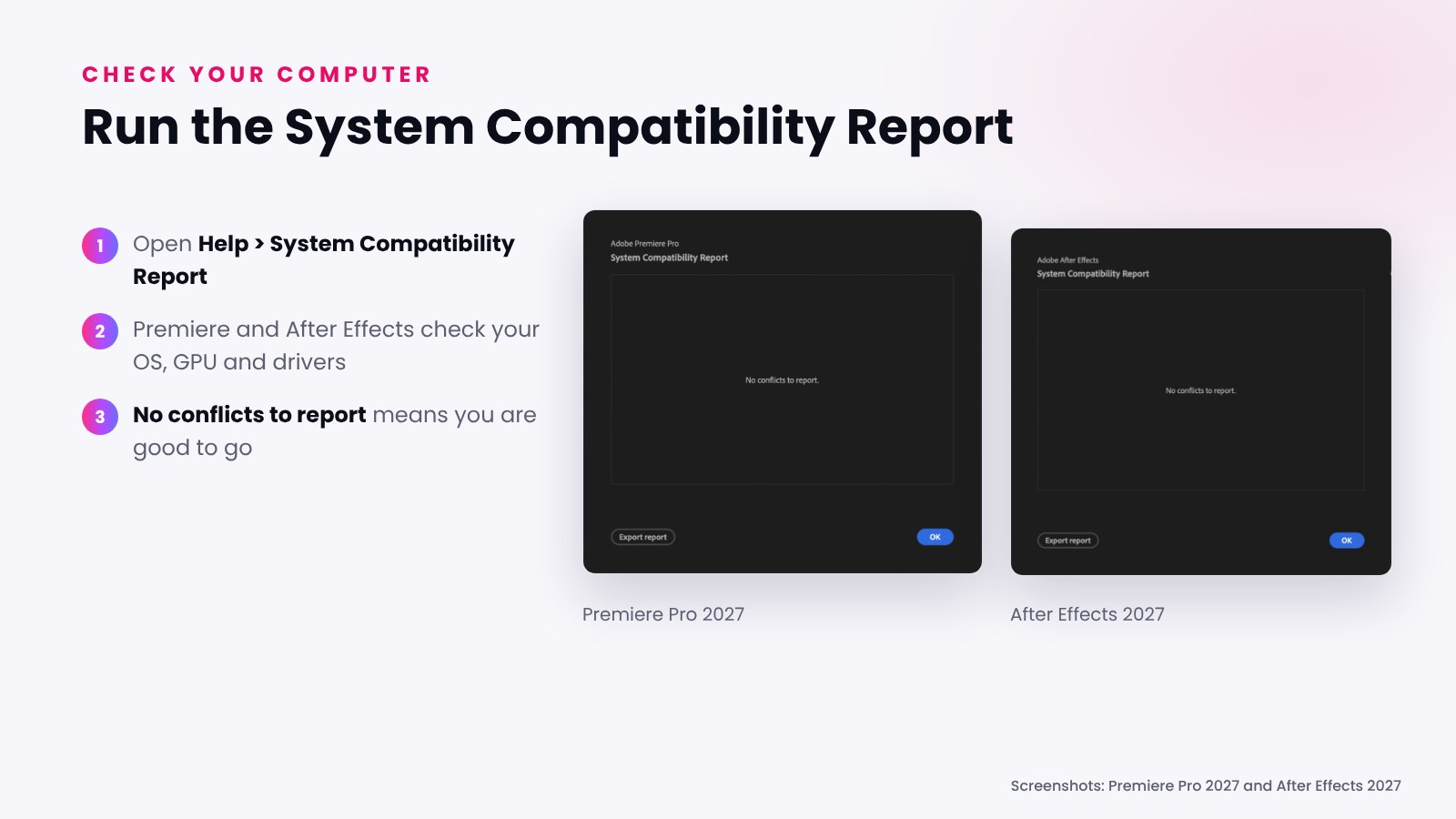
- In Premiere or After Effects, choose Help > System Compatibility Report.
- The app checks your operating system, GPU and drivers.
- "No conflicts to report" means your computer is ready. If it lists a problem, it usually tells you which driver or setting to update.
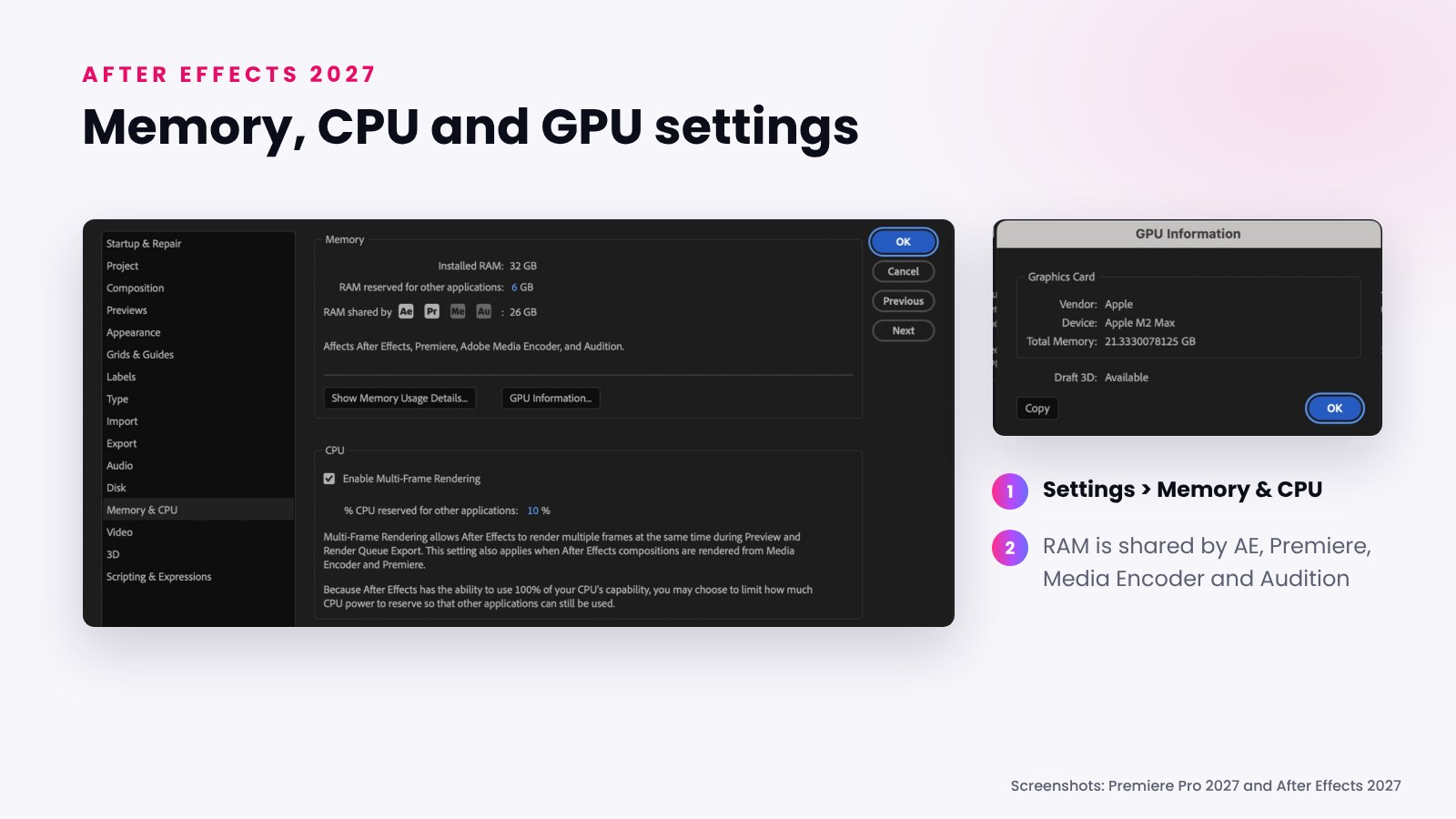
In After Effects, open Settings > Memory & CPU (Preferences on Windows) to see your installed RAM and how it is shared between After Effects, Premiere, Media Encoder and Audition. Click GPU Information to see your graphics card. Ours shows an Apple M2 Max.
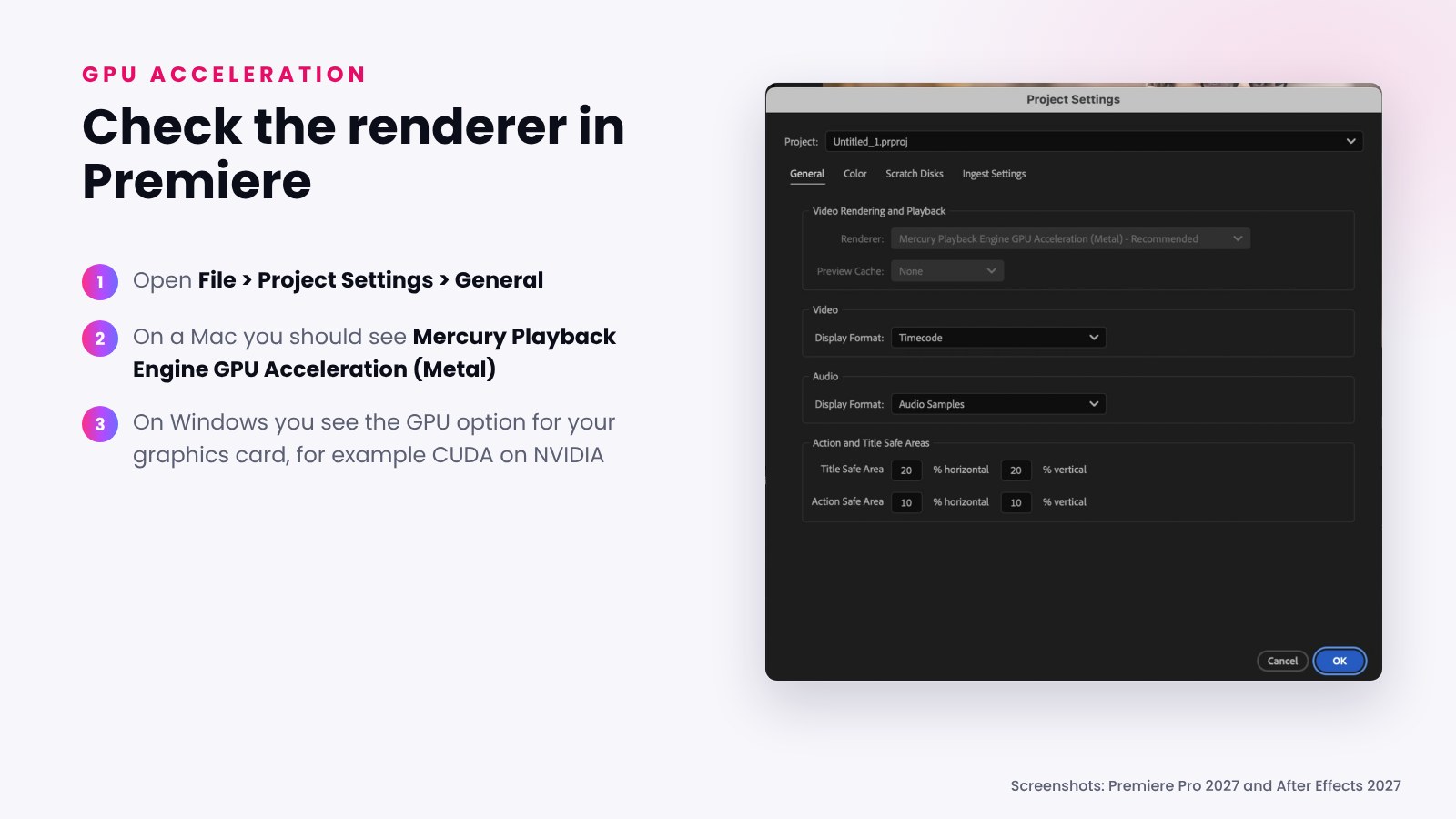
In Premiere, open File > Project Settings > General. On a Mac the renderer should be Mercury Playback Engine GPU Acceleration (Metal). On Windows you see the GPU option for your graphics card.
Templates for Premiere Pro 2027 and After Effects 2027
All Typoanim templates support Premiere Pro and After Effects 2023 and later. So if you stay on 2026 on an Intel Mac, our templates still work for you.
Read more: Adobe 2027 release dates, Premiere Pro 2027 new features and After Effects 2027 new features.
Premiere Pro 2027 system requirements: FAQ
Does Premiere Pro 2027 work on Intel Macs?
No. Version 27.0 needs Apple silicon (M1 or newer). On an Intel Mac you can keep using Premiere Pro 2026 (26.x).
Does Premiere Pro 2027 work on Windows 10?
Windows 10 is no longer officially supported. The minimum is Windows 11, version 24H2. Adobe will block installs on Windows 10 from version 28.0.
What macOS do I need for After Effects 2027?
macOS 15 Sequoia or later on Apple silicon.
Why won't Premiere Pro 2027 open on my Windows PC?
Check your GPU. If no supported GPU is detected, Premiere and Media Encoder 27.0 will not launch. Run Help > System Compatibility Report in an earlier version, or update your graphics driver.
How much RAM do I need for After Effects 2027?
16 GB minimum, and 32 GB or more for 4K and higher, according to Adobe's After Effects 27.0 requirements.
Premiere Pro 2027 system requirements: the short version
Premiere Pro 2027 and After Effects 2027 run on Apple silicon Macs with macOS 15 or later, and on Windows 11 24H2 or later. Intel Macs stay on 26.x, Windows 10 is no longer supported, and on Windows you need a supported GPU for Premiere to launch. Run Help > System Compatibility Report to check your computer.
— Mansura